32 Setting up the iSleep 20+
iSleep 20+ users manual
Doc. 004270 En-Eu T-3b
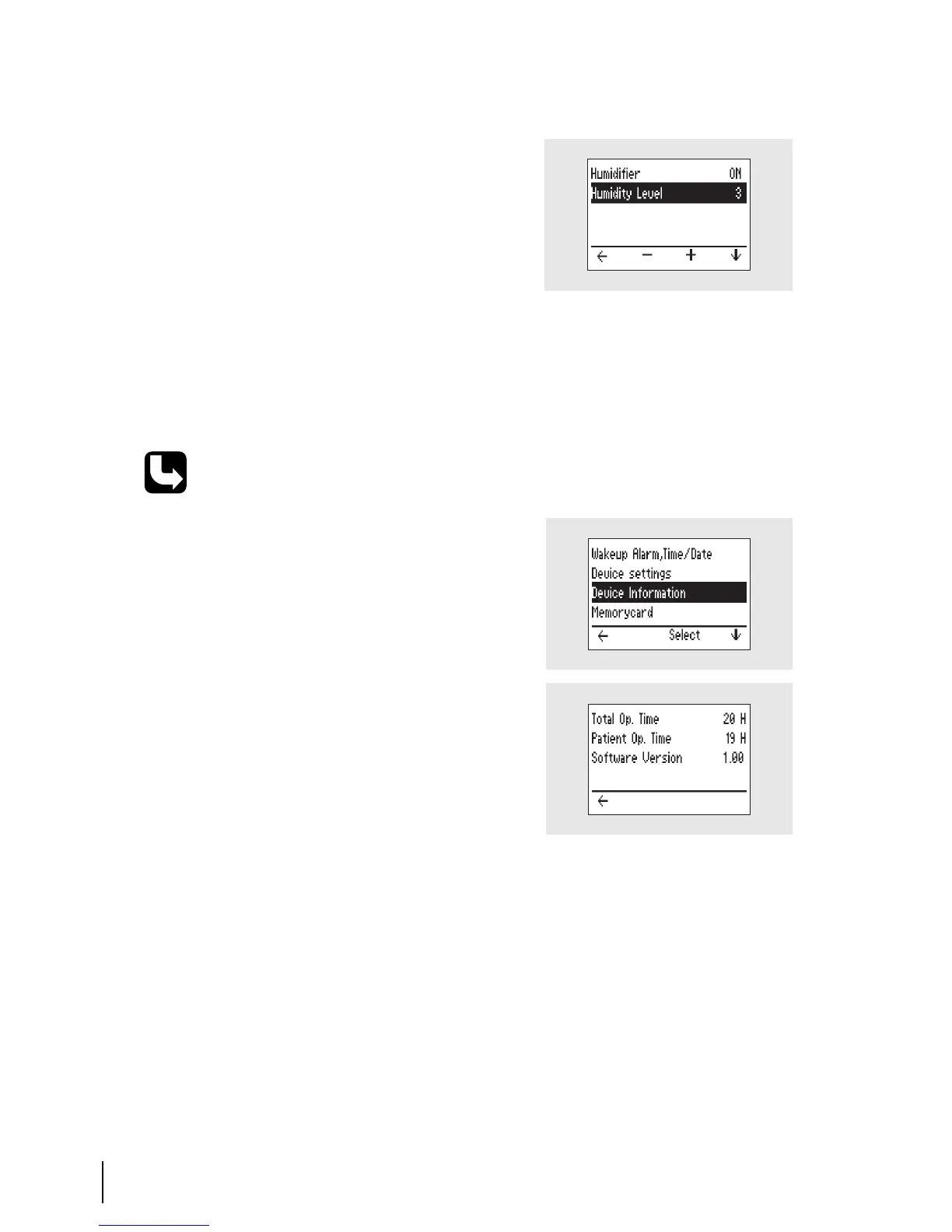
Humidifier (optional)
7.3 Viewing Device Information
Setting range: 1 to 9, Off (where 9 is
the maximum humidity).
Navigate to the “Humidity” section.
If the HA 01 humidifier is not
attached to the iSleep 20+, the
“Humidity” section will not be availa-
ble in the menu.
The HA 01 humidifier can only be
activated during operation.
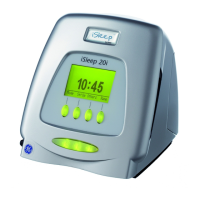
Check the chapter “Using the Menu” on page 22 for information about how to
navigate to the device info screen.
At the main menu, choose “Others”
and navigate to the “Device Informa-
tion” page.
The “Device Information” page con-
tains the following information:
1
Total Operating Time:
Total number of hours the
iSleep 20+ has been operating.
2
Patient Operating Time:
Total number of hours a patient has
been using the iSleep 20+ for CPAP
treatment (ramp and mask off not
included).
3
Software Version.


 To Next Page