www.bresser.de
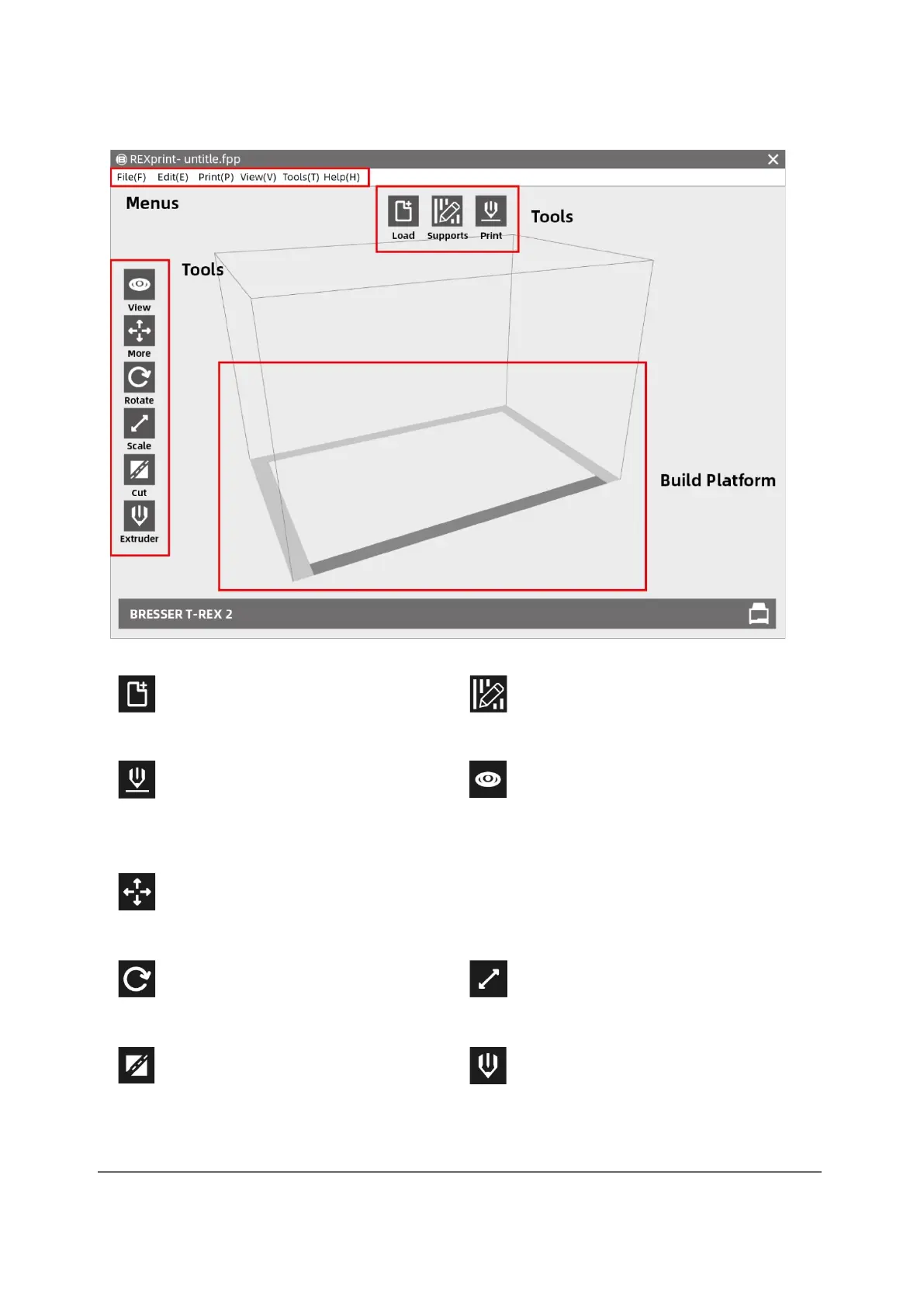
3.2.2 Presentation of REXPrint
Load only one file at a time
Open prop editing mode.
Print directly with the BRESSER
T-REX 2 or export to a USB stick
View FlashPoint home screen,
from one of six angles
Move the model on the XY axis. For the movement on the Z-axis
"Shift+click".
Rotate and turn your model.
Size scaling of your object
Cut the model into several parts
Select the left or right extruder
before setting the parametre



 To Next Page