22
Note: Before connection is made ensure the Brigade Backsense
®
system is powered and
activated – the Status Light on the display should be consistently lit green.
Before connecting the Configuration Tool to the display, the correct COM port must be
selected. Section “4.3.1 Identifying COM Port Number” describes how to find the correct port
number.
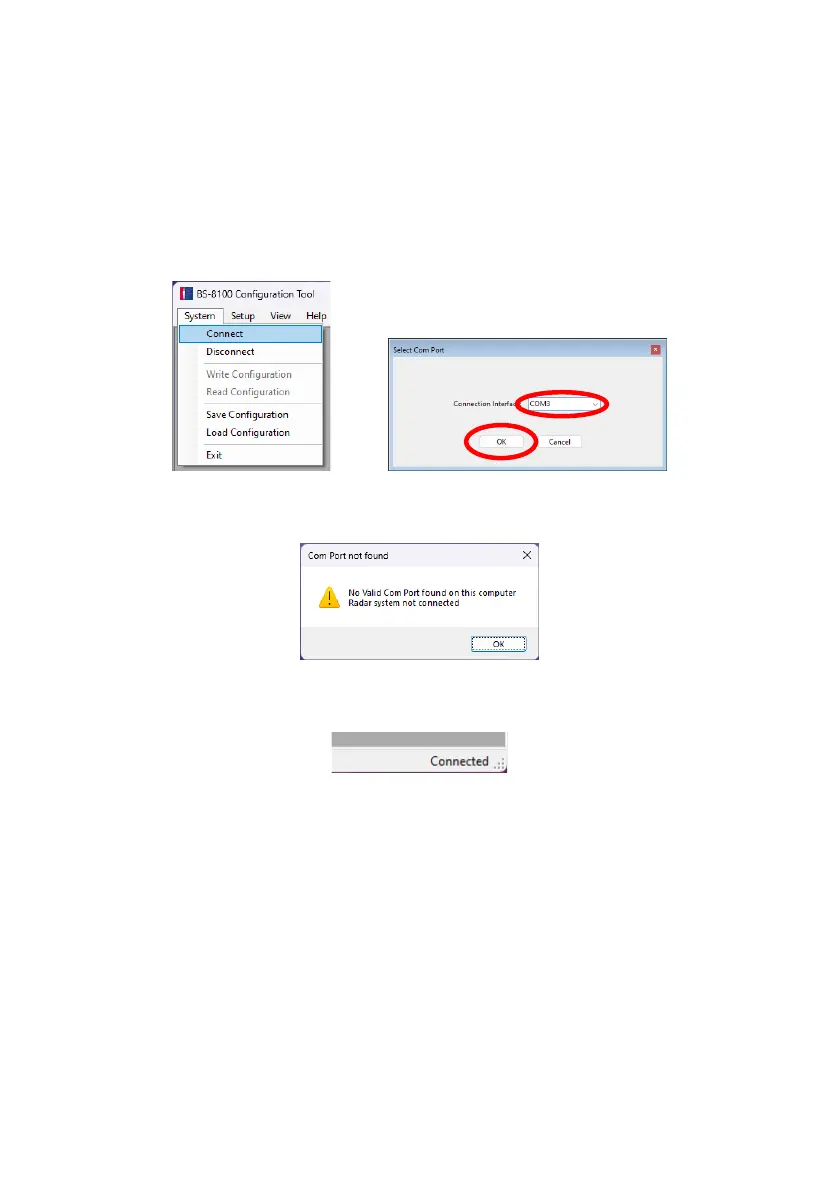
In menu area click “System” then “Connect”. This will open the COM Port Setup window (this
may take several seconds whilst the PC checks available COM ports). The COM port
identified before should be used by selecting it from the drop-down list and then click “OK”.
Com Port setup needs to be run every time the Configuration Tool is opened. If the incorrect
COM port is selected the below error window will be shown:
Once connected, an automatic read is executed and the Status Bar will display “Connected” at
the bottom right of the main window:
The Status Light on the display will flash green once per second while the Configuration Tool
is in its connected state.



 To Next Page