25
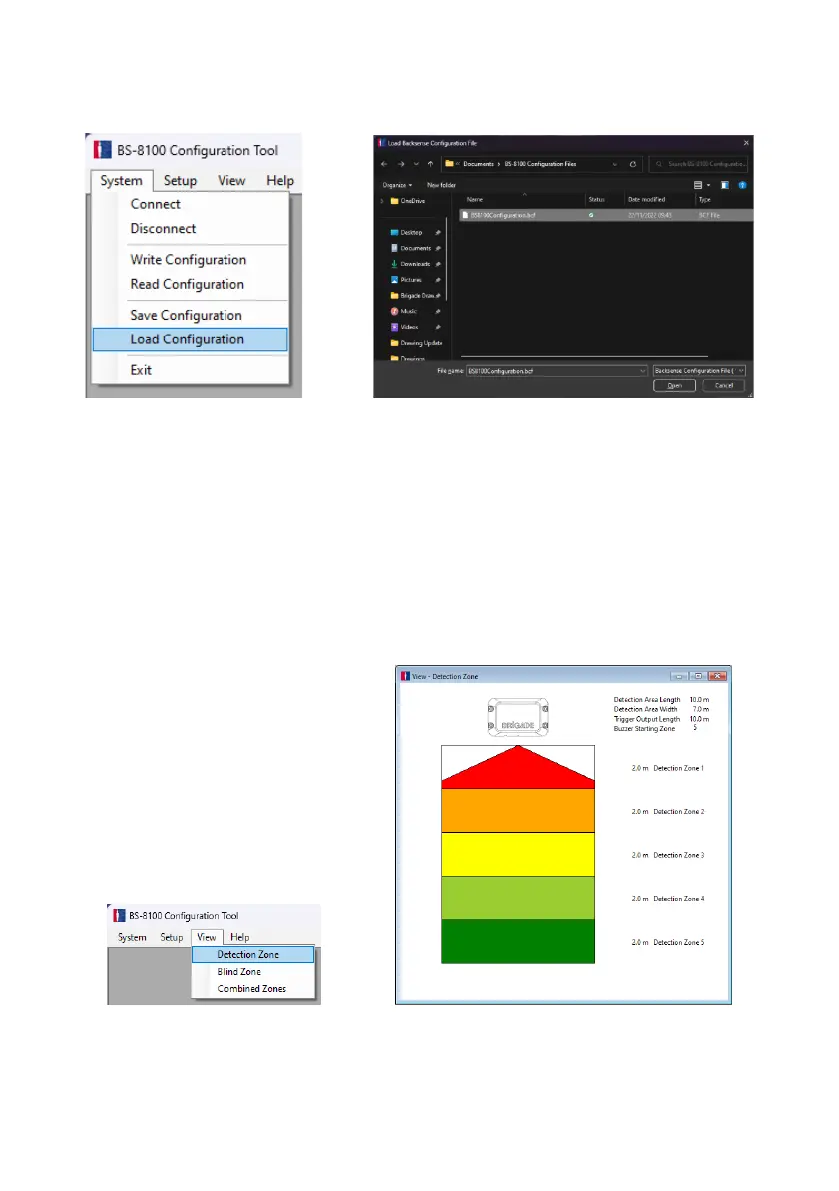
Click in menu area “System” then “Load Configuration”. This opens a window for selection of
the load location and file name.
4.3.10 Detection Area Setup
Note: When setting up the detection zone and blind zones all dimensions are approximate.
All dimensions for detection of objects are nominal and can vary significantly depending
on many parameters. For details, see section “1.2.2 Factors Influencing the Detection of
Objects”.
4.3.10.1 View Detection Zones
In menu area, click “View” and then “Detection Zone” to open the “Detection Zone” view
window. This window displays the current detection length and width divided into zones. The
default configuration for a BS-8100 is 10m x 7m with all 5 zones equally divided into 2m as
shown below.
4.3.10.2 Setup Detection Zones
In menu area click “Setup” then “Detection Zone” to open the “Setup - Detection Zone”
configuration window. This is used to configure each “Detection Zone Length”, “Quick Zones



 To Next Page