17
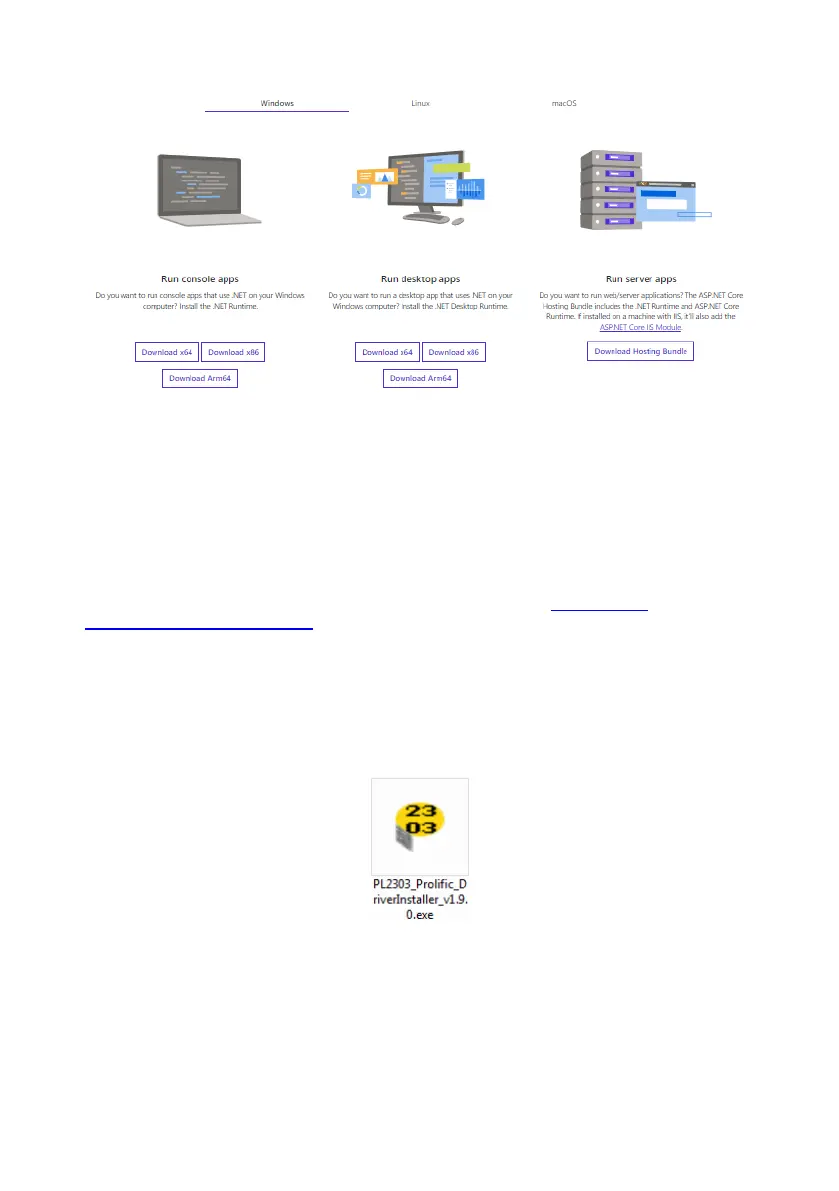
Under the “Run Desktop Apps” section, either click “Download x64” if you have a 64-bit
operating system, or “Download x86” if you have a 32-bit operating system. This will download
the relevant installation file.
Run the downloaded installation file and follow its installation instructions to install the required
Microsoft .NET Framework.
4.2.2 USB to Serial Port Driver Installation
A USB to serial port driver is required to communicate between the PC and the BS-8100.
Suitable drivers are available on the Brigade Electronics website (www.brigade-
electronics.com/product-support) and on the included USB drive under the “Driver” folder. A
driver should be installed before any cable connection is made to a PC.
For Windows 7, 8 and 10: Connect the display via USB to the PC. Windows should identify
the device and automatically install a driver. This process can take up to one minute. If there
are any problems with the driver installation, acquire the
“PL2303_Prolific_DriverInstaller_v1.9.0.exe” executable from either the Brigade Electronics
website or the optional included USB drive and run it.



 To Next Page