30
4.3.11 Blind Area Setup
4.3.11.1 Relationship between Blind Area and Detection Area
The Brigade Backsense
®
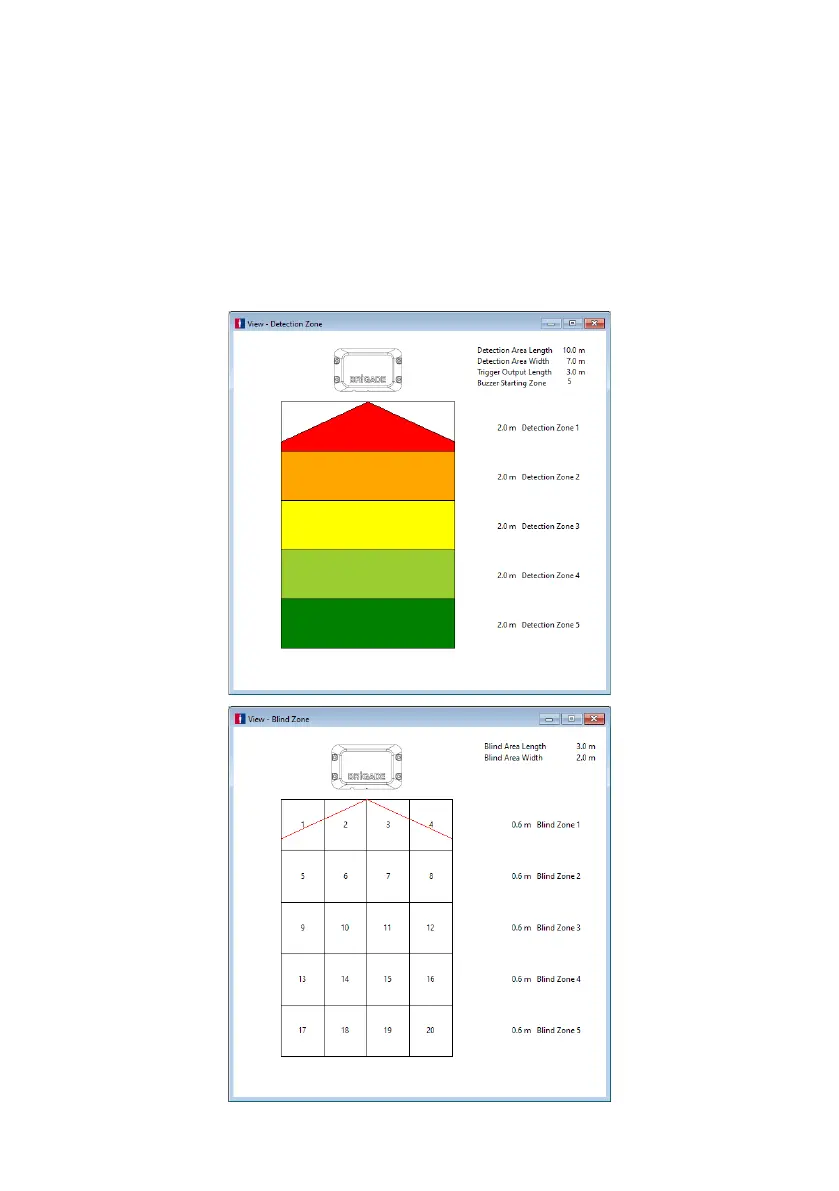
BS-8100 can set Blind Cells inside the Detection Area to be ignored.
These can be set at different sizes and selected individually to accommodate varied
applications. Both the Detection Area and the Blind Area is symmetrical along same centre
line.
The image below shows an example comparison of the view windows for a larger Detection
Area (10m x 7m) compared to a smaller Blind Area (3m x 2m) in the Configuration Tool.



 To Next Page