ALTA EVOLUTION / EVOLUTION GT … User manual
1
ALTA EVOLUTION / EVOLUTION GT
CREATING/SELECTING A FITTING 3.3.2.
There are 3 ways of calling up a fitting:
Using the barcode and the handheld scanner (optional),
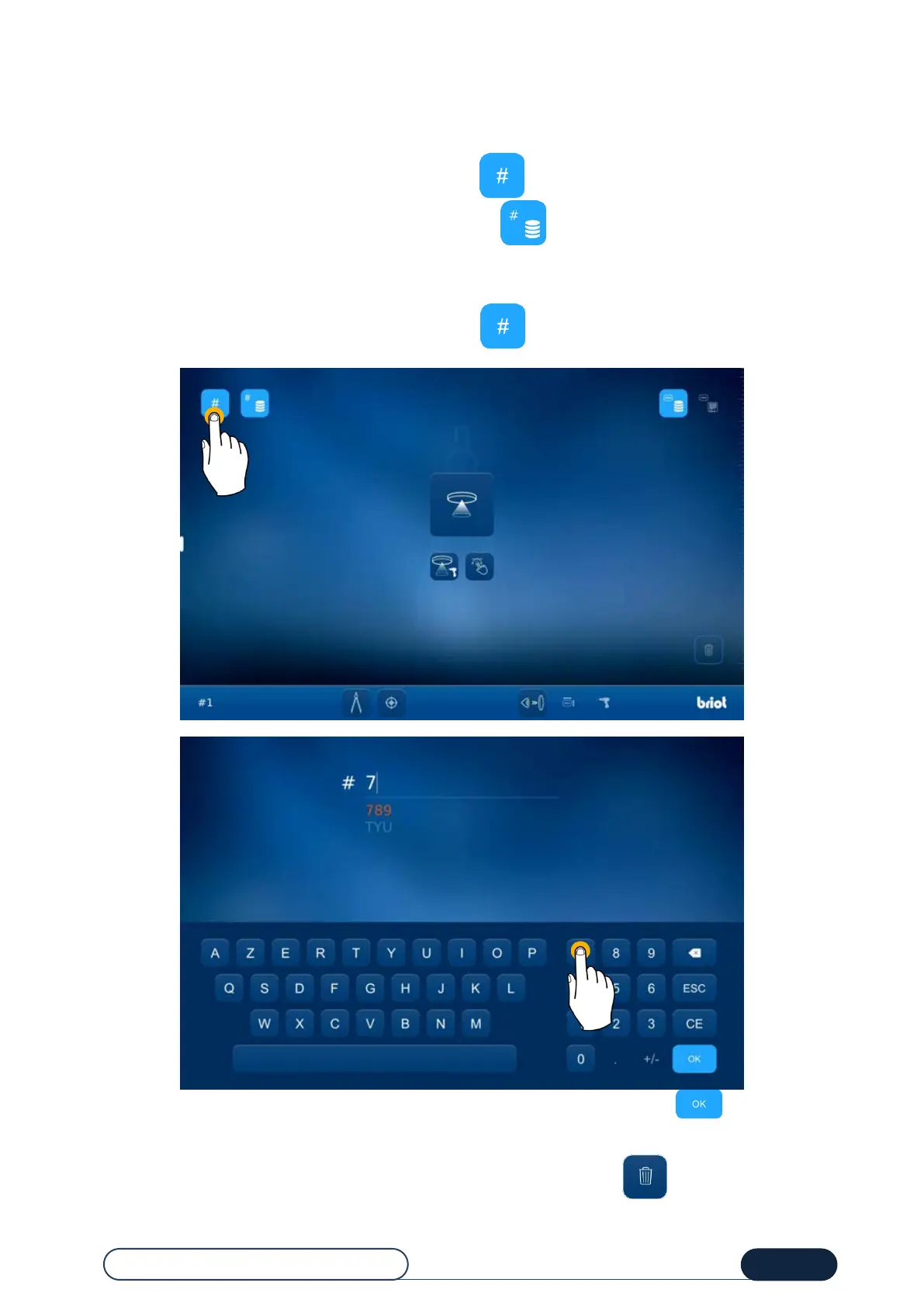
Using the alphanumerical keyboard by pressing the button,
Using the list of existing fittings by pressing the button
(in server configuration only).
3.3.2.1. CREATING/CALLING UP A FITTING
From the main screen, press the fitting number entry button .
Enter a job number on the alphanumerical keyboard displayed on the screen and then press .
If the fitting number is stored in memory, an automatic recognition system is displayed (in server configuration only),
then confirm.
In necessary, you can reinitialize the fitting displayed on the screen by pressing the icon.



 To Next Page