ALTA EVOLUTION / EVOLUTION GT … User manual
1
ALTA EVOLUTION / EVOLUTION GT
3.3.5.1.1. MEASURING THE PRESENTATION LENS OR PATTERN
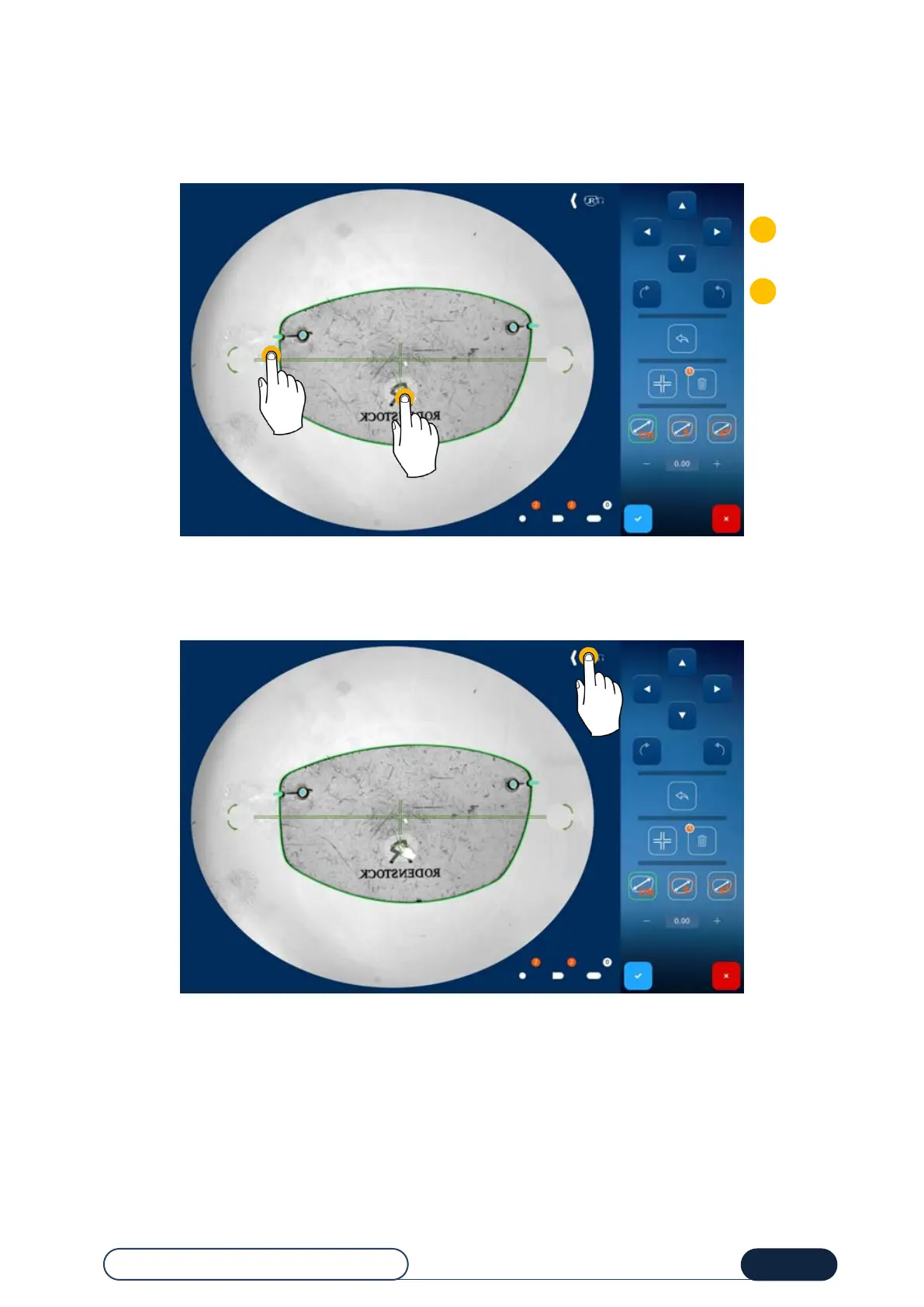
You can position the axis in two ways:
Using the (1) translation / (2) rotation browsing arrows on the right of the screen.
Using the screen touch areas: (3) translation / (4) rotation.
3.3.5.1.2. SIDE OF THE PRESENTATION LENS OR PATTERN
Position the tip icon on the right side according to the presentation lens or pattern (left or right). For this purpose, press
the icon to switch to the opposite side.
idem
Tip! If this is overlooked, you can reverse the shapes in the entry screen.



 To Next Page