ALTA EVOLUTION / EVOLUTION GT … User manual
ALTA EVOLUTION / EVOLUTION GT
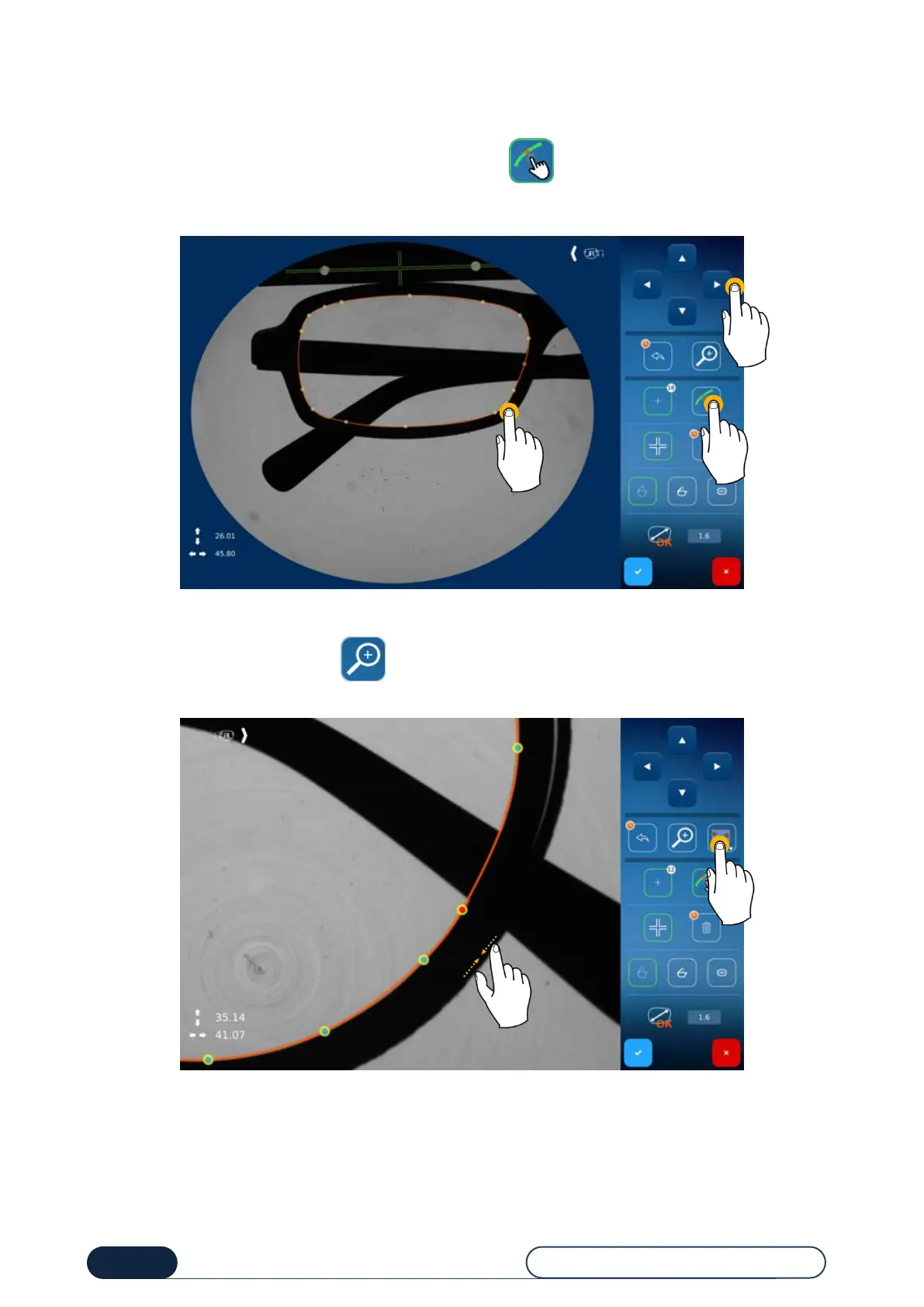
You have the possibility to place a point without using magnetism.
For this purpose, follow this procedure:
Deactivate the magnetic function by clicking on the icon (1),
Position your point on the screen (2),
Adjust its position using the navigation arrows (3)
Add a point without magnetism
To facilitate point positioning, click on to zoom in on the screen, then pinch to adjust the zoom according to
your needs.
Zoom in to adjust point position



 To Next Page