ALTA EVOLUTION / EVOLUTION GT … User manual
ALTA EVOLUTION / EVOLUTION GT
3.3.7.1.3. MULTIPLE SELECTION OF HOLES
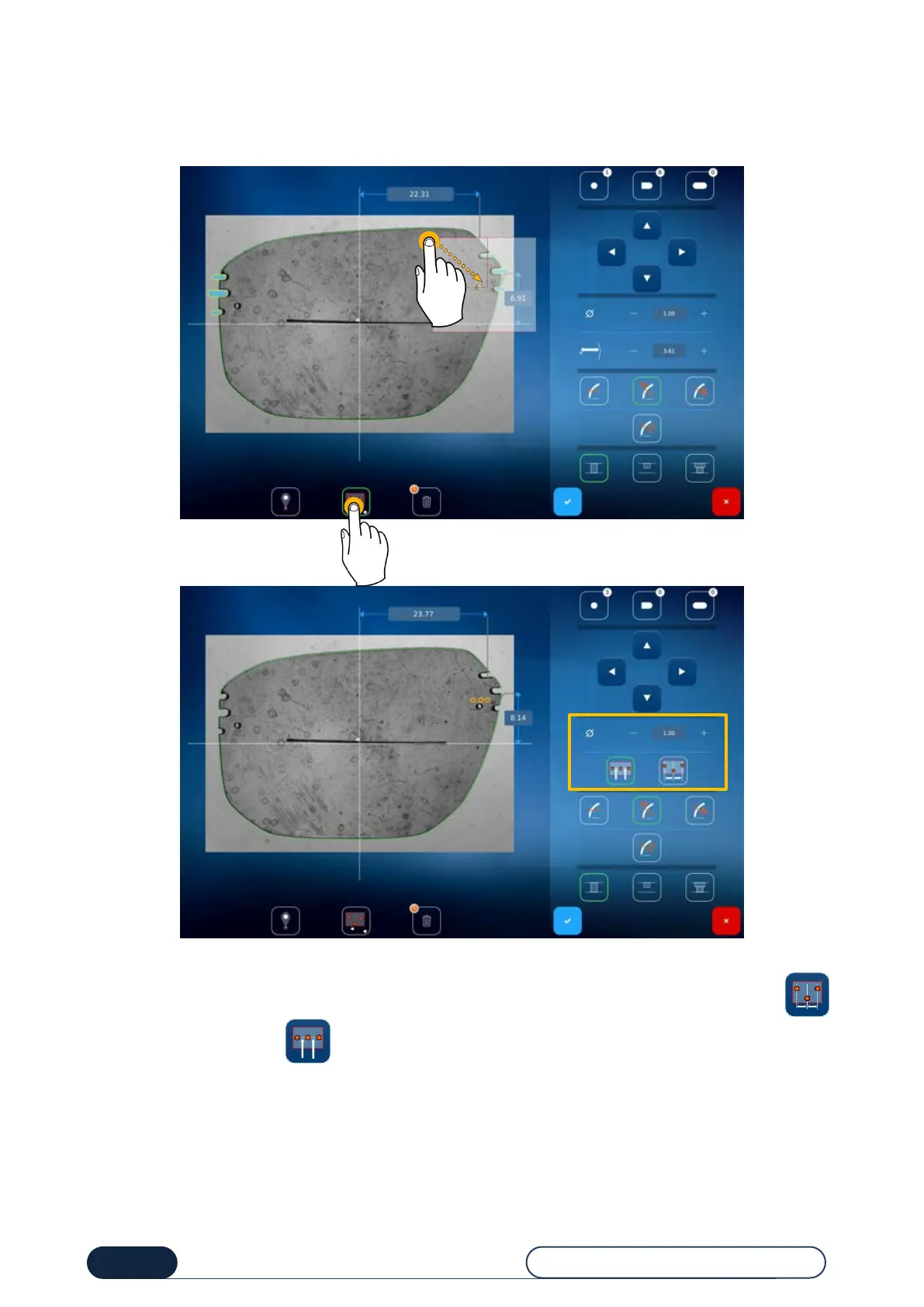
To carry out a multiple selection, follow this procedure:
Press the icon (1) and then select the holes in the desired area (2).
Once the multiple selection has been made, the holes are displayed in orange.
You can now position them where you want, either by adjusting the difference between the holes by pressing or
by aligning them by pressing .
You can also change the hole diameter by pressing either the value to display the number pad, or the + or - buttons.



 To Next Page