ALTA EVOLUTION / EVOLUTION GT … User manual
ALTA EVOLUTION / EVOLUTION GT
3.3.7.1.5. MANUAL ENTERING OF HOLES
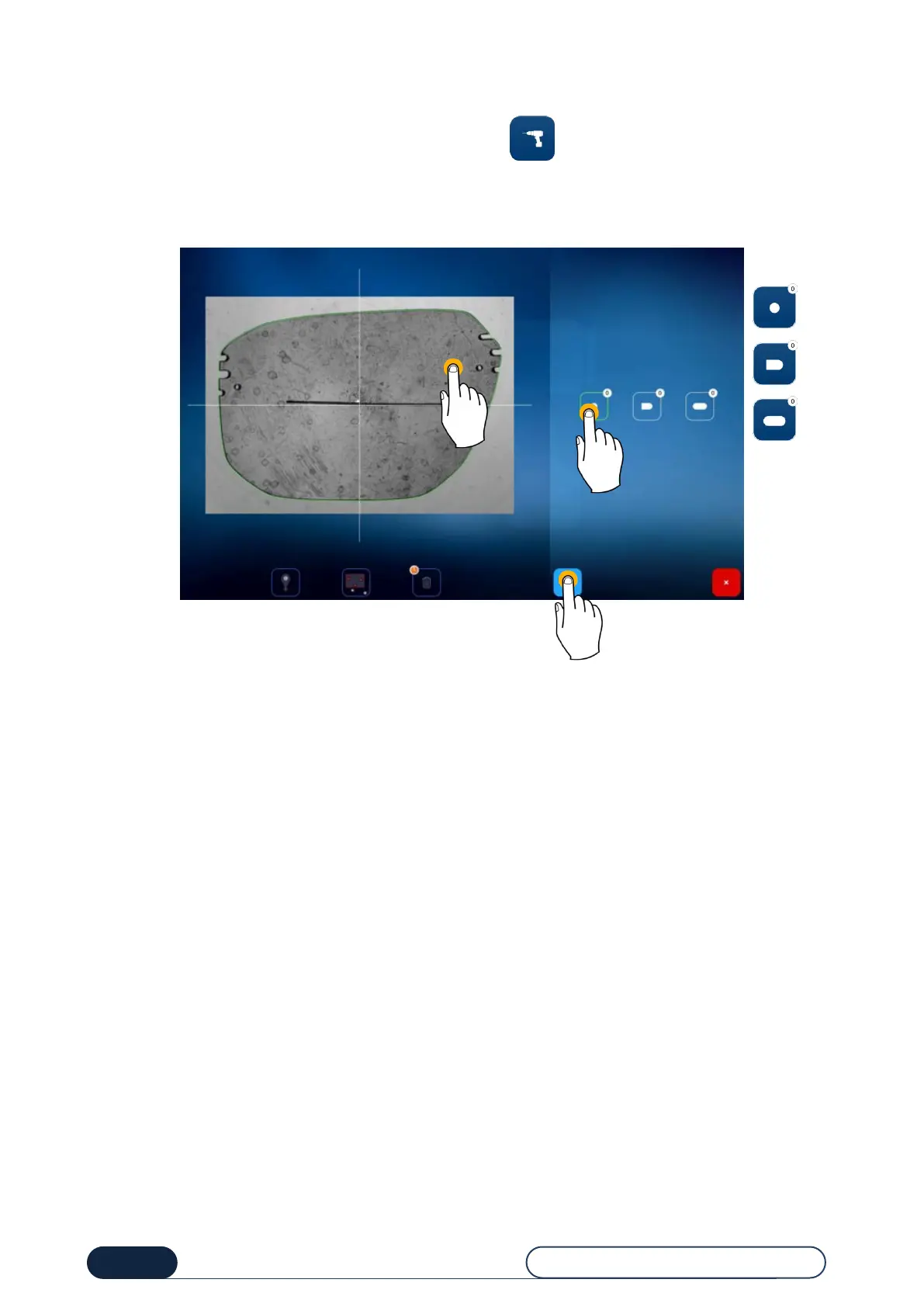
From one of the two main screens (entry or centering), press the button to be redirected to the screen below.
From this screen, you can manually position the desired holes (hole, notch or oblong).
For this purpose, press the types of hole to be made (1), and then the lens to position it (2).
Once all your holes have been positioned on the lens, confirm your choice (3) and you will then be directed to the entry
or centering screen.



 To Next Page