ALTA EVOLUTION / EVOLUTION GT … User manual
1
ALTA EVOLUTION / EVOLUTION GT
CENTERING A LENS (NON-GT) 3.3.8.
3.3.8.1. ENTERING OFFSET VALUES
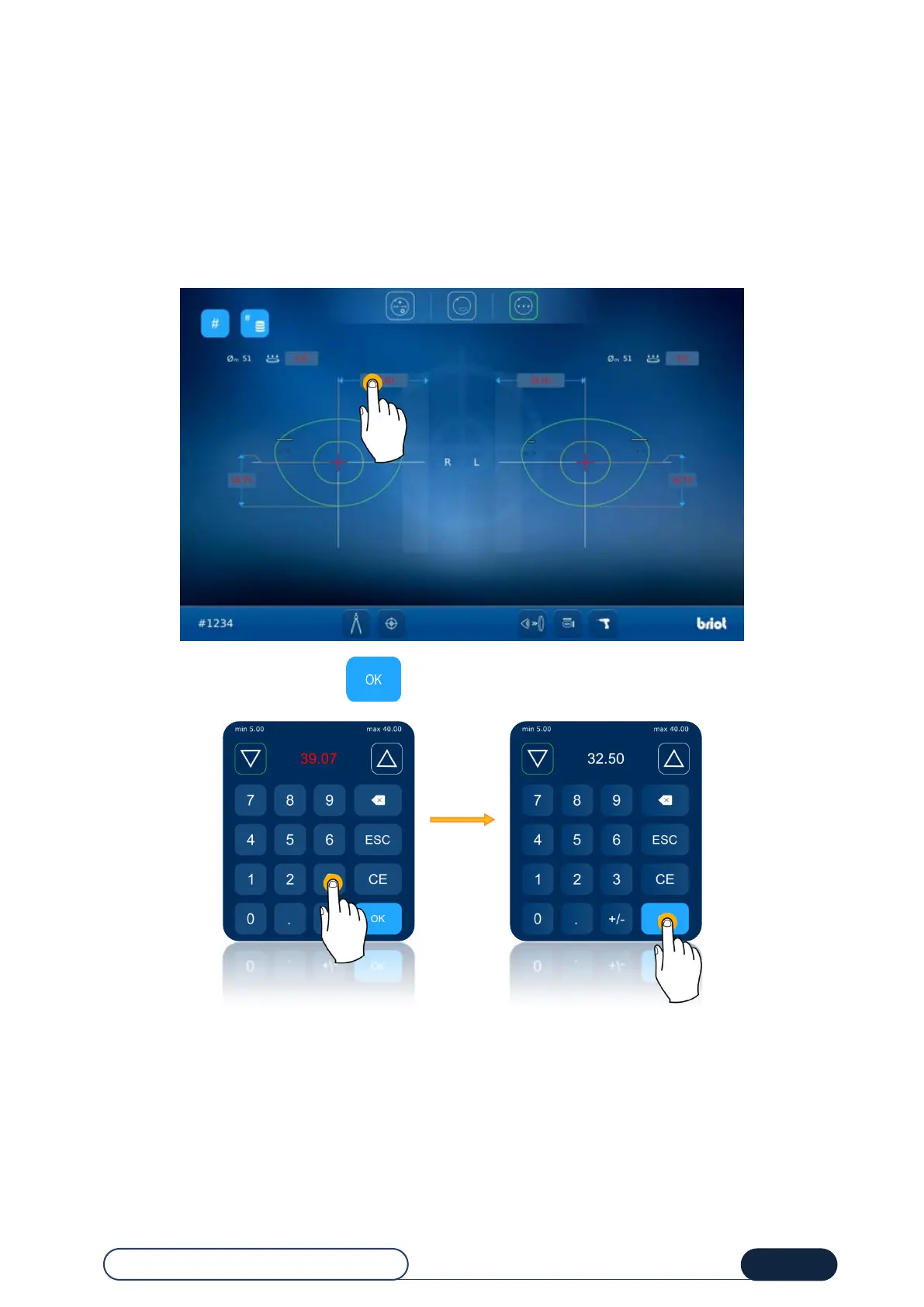
From this screen, you can enter the patient's offset values
The values in red on the screen are the default values.
They then benefit from the entry carry over when the value of the opposite side is changed (see below).
This carry over does not work on the axis values.
3.3.8.1.1. PROCEDURE
Click on the offset value to be changed. A keypad is displayed on the screen.
Enter the desired value and then press .



 To Next Page