ALTA EVOLUTION / EVOLUTION GT … User manual
ALTA EVOLUTION / EVOLUTION GT
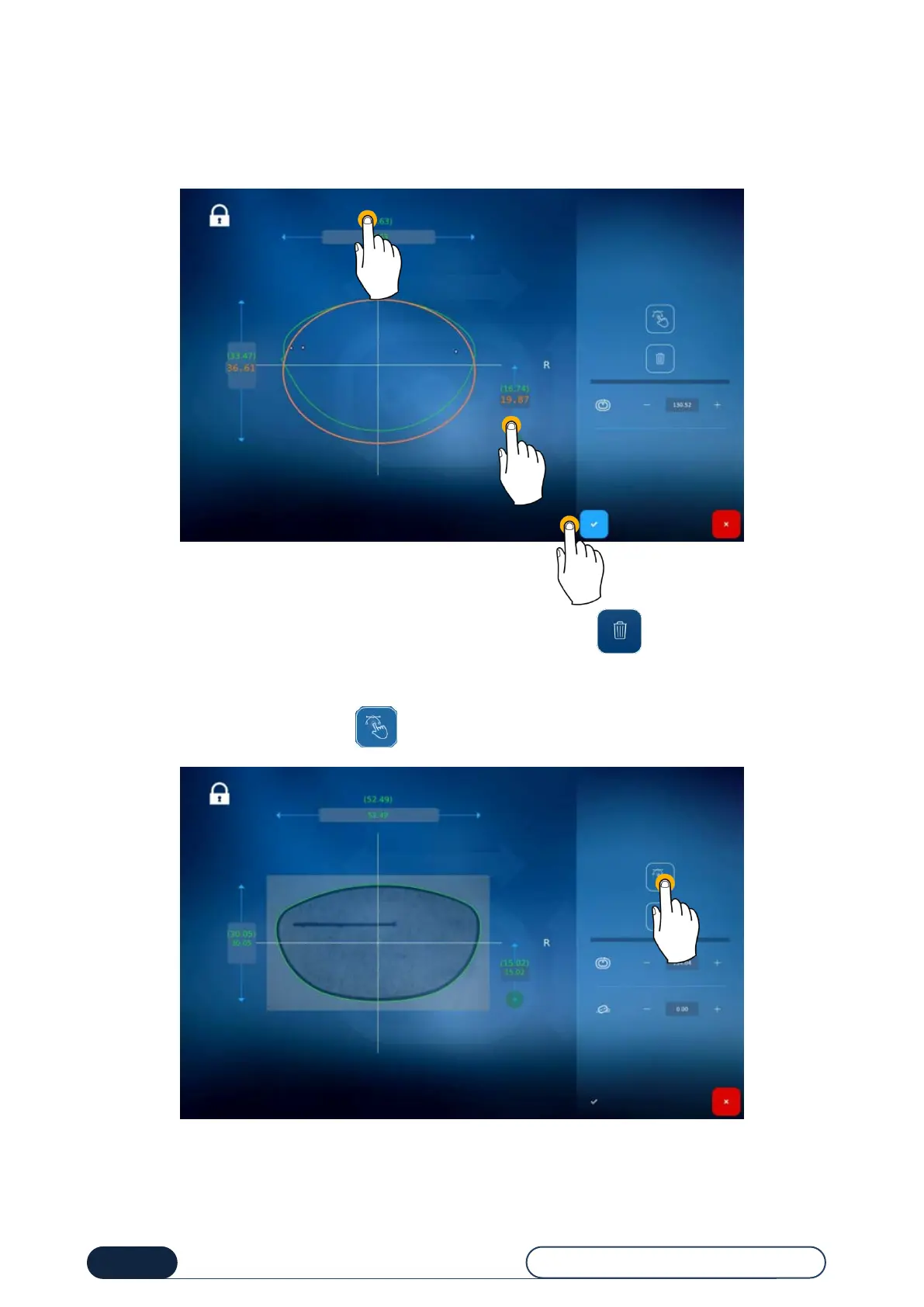
To change the values displayed on the screen (in green), press the value to be changed (1) to bring up the number pad
or the green area to stretch the lower part of the shape (2).
The new shape can then be viewed (in orange).
You can confirm (3).
If the changes made are not to your liking, you can cancel them all by pressing .
You can also change a shape via smoothing (if a shape imperfection has been detected, or simply to redesign a portion
of the shape).
To access the smoothing function, press
Changing the shape
circumference



 To Next Page