Model 871A User’s Manual USING THE LASER WAVELENGTH METER
Bristol Instruments, Inc. 27
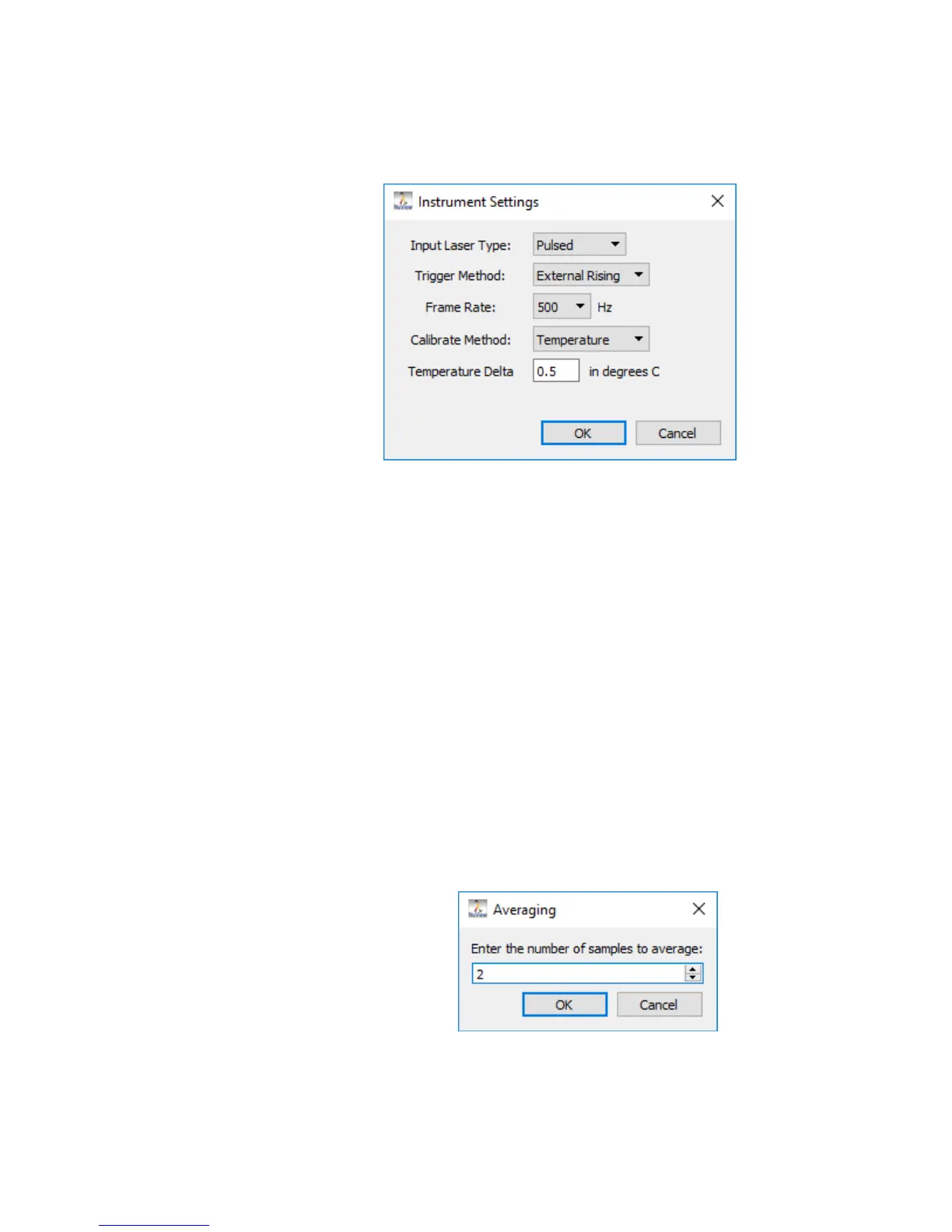
To enable Temperature calibration, select Temperature from the
drop down menu, enter a Temperature Delta value in degrees C
using the keyboard and click OK.
• Save Instrument State – Commits all changes to the 871 Laser Wavelength
Meter’s status to the internal storage of the 871 instrument. Any change to
the parameters in the Data Table of the PID Controller Screen must be saved
to take effect. Click to select.
• Averaging – This function automatically calculates a running average of as
many as 100 measurements.
When averaging is selected, the Wavelength Display or Trend Screen will
display a single measurement after the chosen number of measurements is
collected and averaged. The Wavelength Display or Trend Screen will then
be updated with each successive measurement.
- Enable – Averaging can be turned on by clicking Enable. This places a
check mark next to Enable. Averaging is turned off by clicking Enable a
second time.
- Set Number – Allows the user to enter the number of averages between
2 and 100. The number of averages can be adjusted incrementally by
using the up/down arrows or by highlighting the current numeric value
and entering a new numeric value with the keyboard.



 To Next Page