Model 871A User’s Manual REMOTE COMMUNICATIONS
Bristol Instruments, Inc. 40
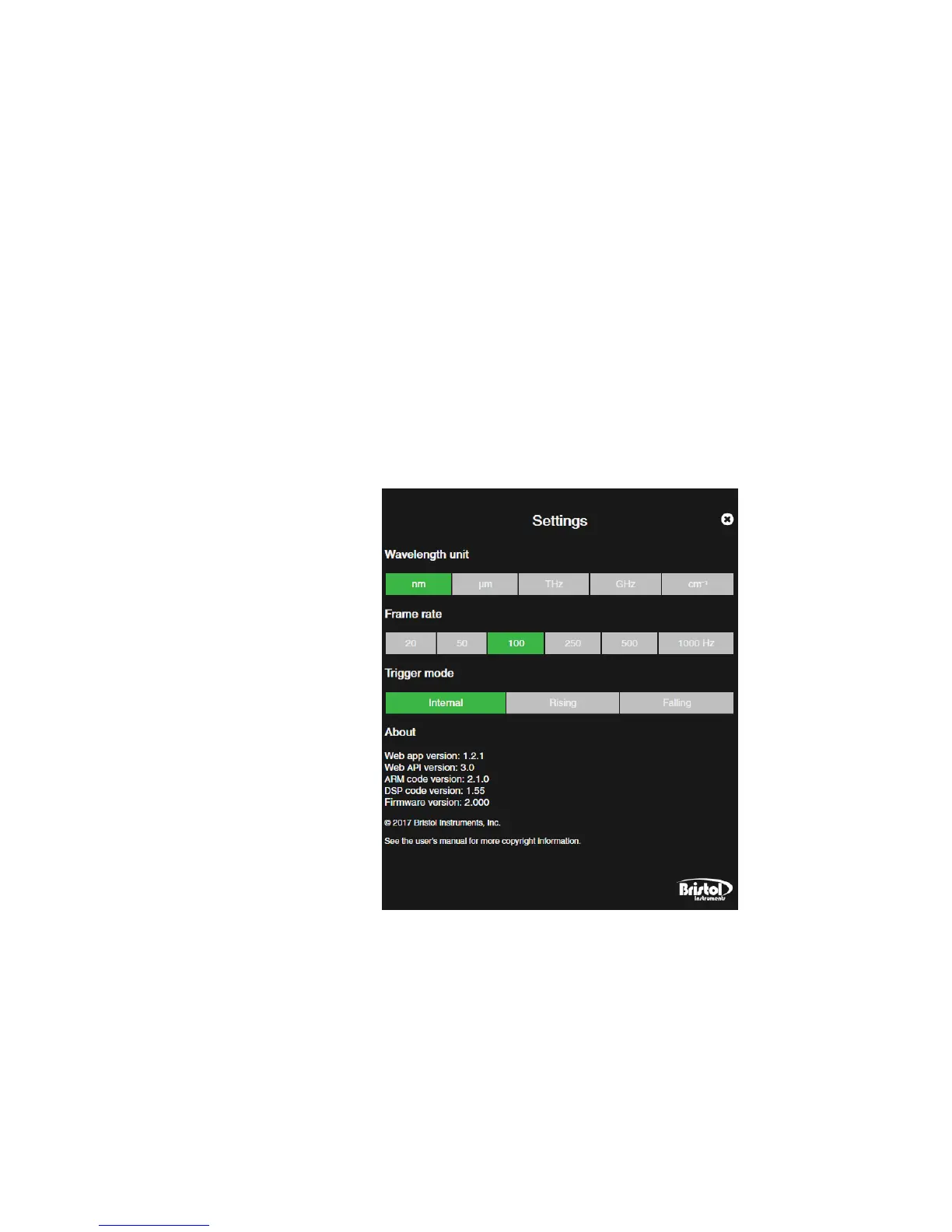
• Settings – Allows the user to select the measurement units for the wavelength
display, instrument frame rate, and the trigger mode. The Settings screen also
displays relevant information about the web-based display application and embedded
software versions.
– Wavelength Unit – Displays the wavelength in units of nm, µm, GHz, THz or
cm
-1
. The green colored unit is currently displayed, while gray colored units are
inactive. Click to select.
– Frame Rate and Trigger Mode – Sets the measurement rate and method of the
871 system. When set in Internal Trigger mode, the Frame Rate corresponds to
the number of measurements per second. When set in External Trigger mode,
the Frame Rate defines the measurement time initiated by the input trigger. The
relationship between Frame Rate and measurement time is explained in greater
detail in Chapter 5. The green colored frame rate or trigger mode represents the
currently enabled methods, while gray colored settings are inactive. Click to
select.
– About – Lists the display application version and the embedded software
versions.



 To Next Page