21
© 2020 Brivo Systems LLC. All rights reserved. P-MAN-PUB-Panel Networking Guide
Panel Networking Guide
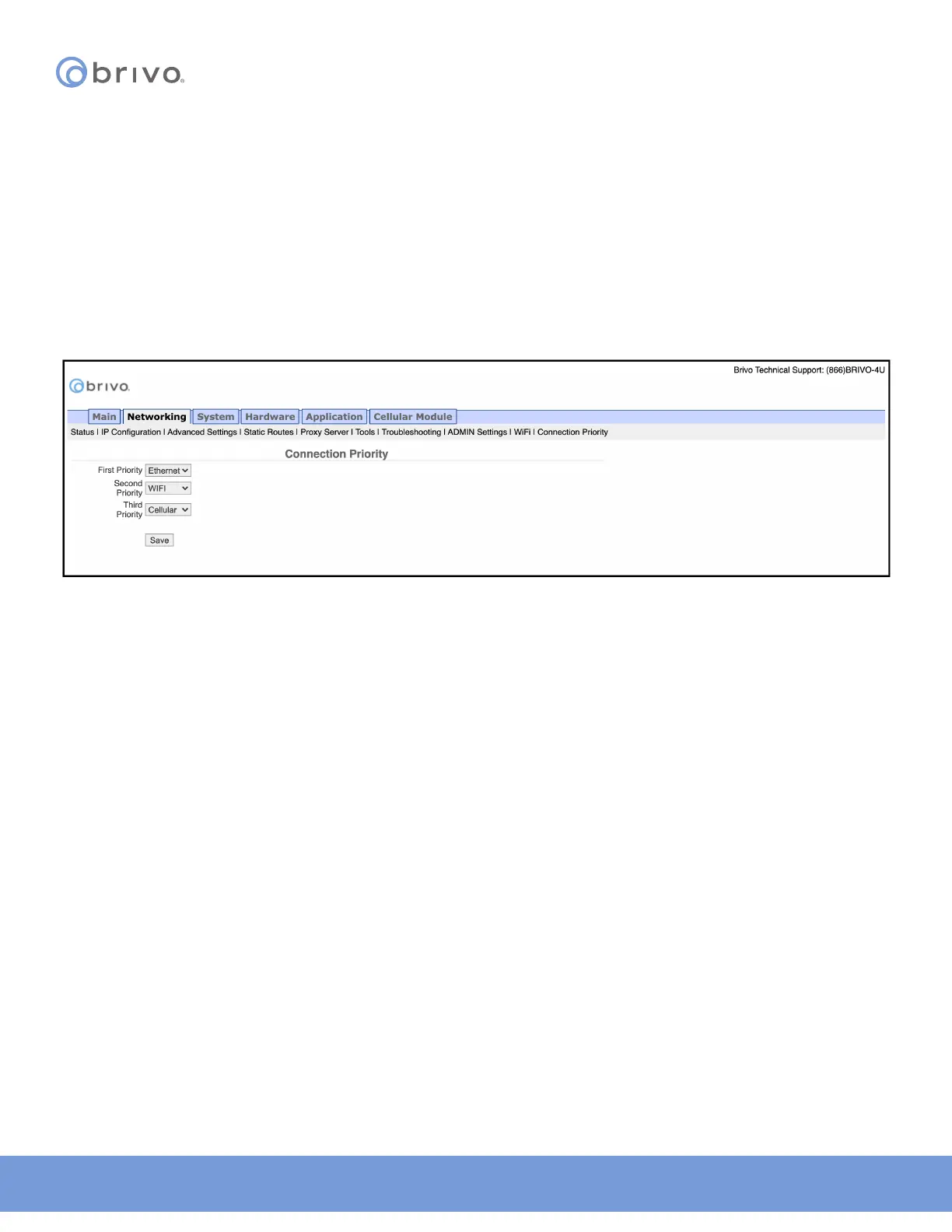
Connection Priority (ACS6000 and ACS300 only)
The ACS6000 and ACS300 allow for multiple connection methods to the Brivo Onair Cloud Server or Brivo Onsite
Server. The panel can connect via Ethernet, WiFi, or Cellular.
The Administrative Interface includes a tab for conguring the connection priority of the panel. To access this tool:
1. Click Networking to access the Networking menu bar.
2. Click Connection Priority to access the Connection Priority page.
3. To set the First Priority, select Ethernet, WiFi, or Cellular from the dropdown list.
4. Repeat this step for Second Priority and Third Priority. Do not choose the same connection type for more
than one priority.
5. Click Save.
Figure 20: Connection Priority



 To Next Page