28
© 2020 Brivo Systems LLC. All rights reserved. P-MAN-PUB-Panel Networking Guide
Panel Networking Guide
LED Settings
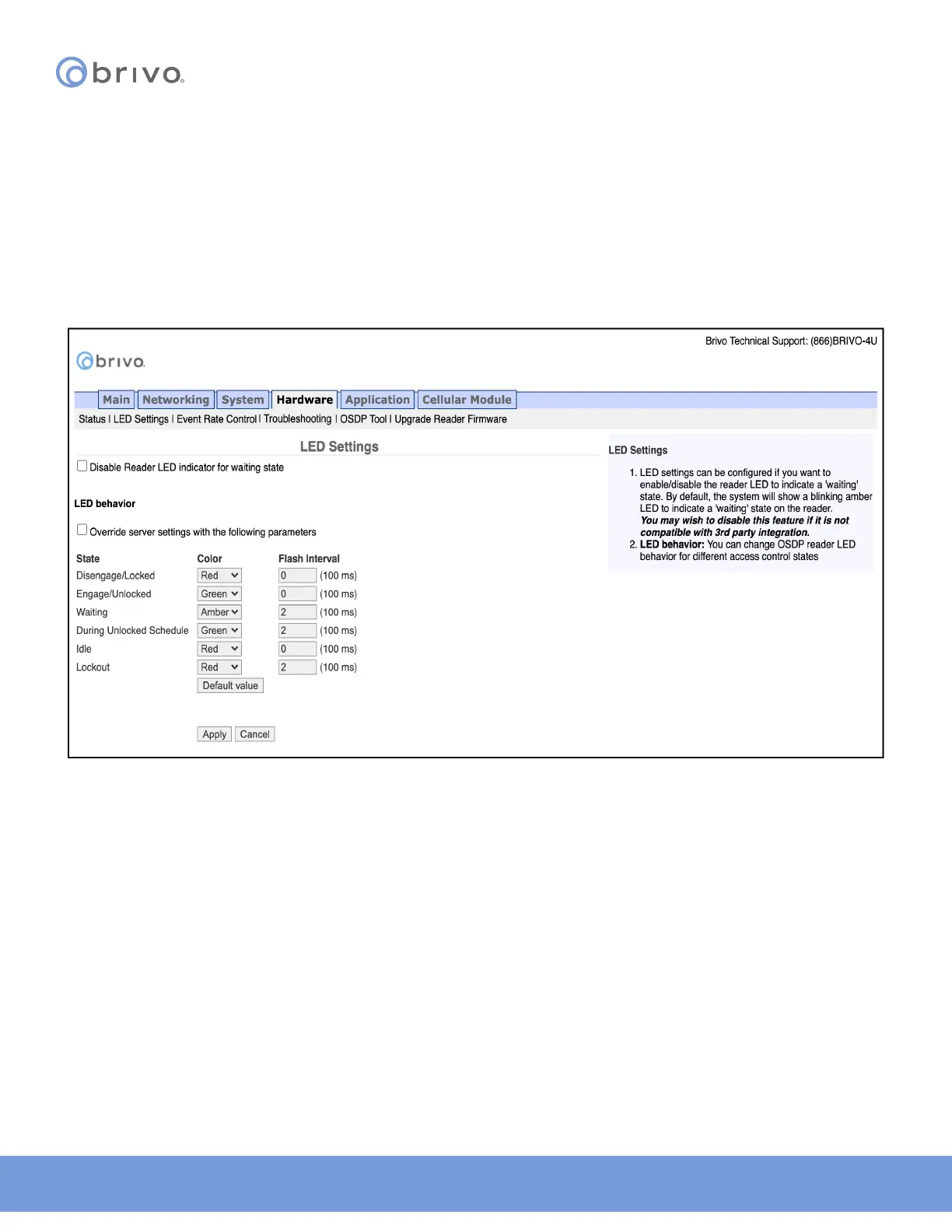
The LED Settings page allows the administrator to disable the Reader LED indicator for waiting state. LED settings
can be congured if you want to enable/disable the reader LED to indicate a ‘waiting’ state. By default, the system
will show a blinking amber LED to indicate a ‘waiting’ state on the reader. To access this page:
NOTE: You may wish to disable this feature if it is not compatible with 3rd party integration.
1. Click Hardware to access the Hardware menu bar.
2. Click LED Settings to access the LED Settings page.
3. Click the checkbox to disable the Reader LED indicator for waiting state.
4. Click Apply to complete the process.
Figure 28: LED Settings



 To Next Page