42
© 2020 Brivo Systems LLC. All rights reserved. P-MAN-PUB-Panel Networking Guide
Panel Networking Guide
IP Conguration
The Brivo control panel is shipped with DHCP enabled. This means that on most networks, the control panel will
automatically acquire all the information it needs to communicate with Brivo. However, some networks may require
custom settings, either by design or by policy. This section explains how to change network settings if you need to
do so.
If you are uncertain whether the network requires manual conguration of networks settings, contact the network
administrator at the site.
Deactivating DHCP
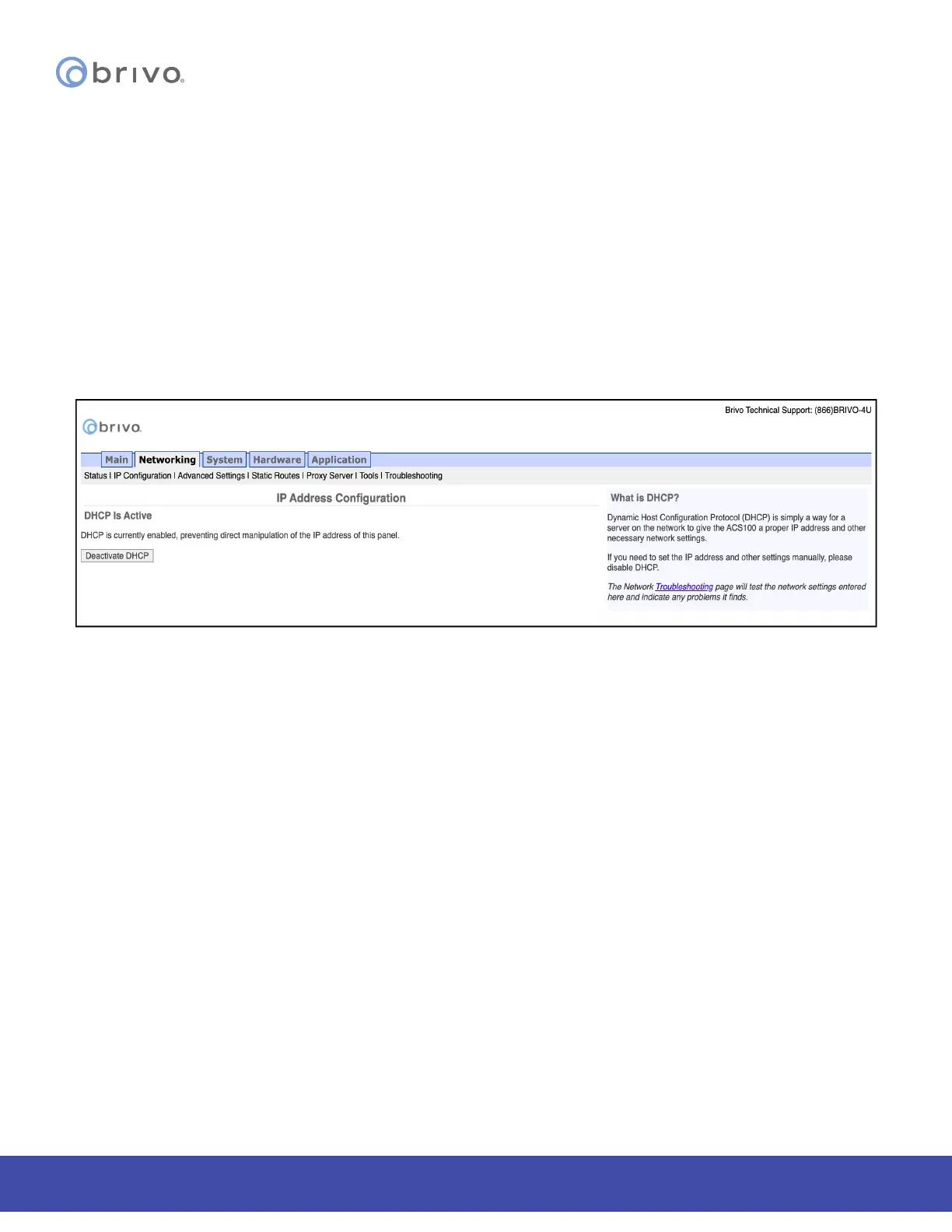
Before you can set network parameters manually, you must rst deactivate DHCP.
1. Select the Networking tab. The Networking menu bar displays.
2. Select IP Conguration. The IP Address Conguration page displays.
3. Click Deactivate DHCP.
Figure 42: Deactivate DHCP



 To Next Page