56
© 2020 Brivo Systems LLC. All rights reserved. P-MAN-PUB-Panel Networking Guide
Panel Networking Guide
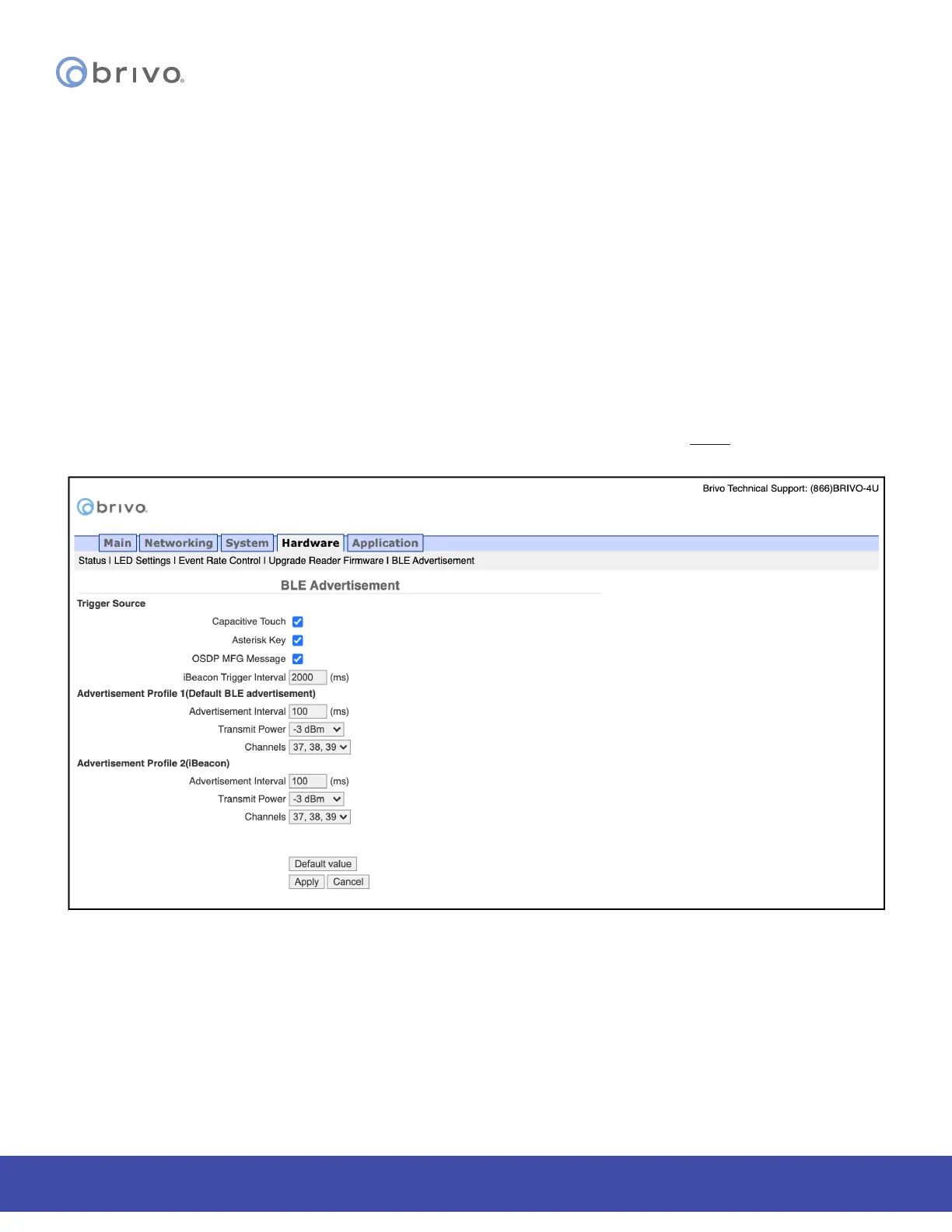
BLE Advertisement
The BLE Advertisement page allows the administrator to manage uid access and mobile credential functionality of
the ACS100 unit and how the unit is used by credential holders.
To access this page:
1. Click Hardware to access the Hardware menu bar.
2. Click BLE Advertisement to access the BLE Advertisement page.
3. To disable Fluid Access by touch functionality, make sure the Capacitive Touch checkbox is unchecked.
4. To disable Fluid Access by pressing the * key (available only on ACS100 units with keypads), make sure the
Asterisk Key checkbox is unchecked.
5. If mobile credential devices are not being detected in a pocket or purse, increase the Transmit Power DB
value.
6. If mobile credential holders are experiencing interference from other Brivo Smart readers or ACS100 units,
decrease the Transmit Power DB value.
7. Click Apply when nished.
NOTE: Other than the options listed above, other changes to this page should be made ONLY if requested by Brivo
Technical Support.
Figure 58: BLE Advertisement



 To Next Page