Attaching the Embroidery Unit 17
1
— — — — — — — — — — — — — — — — — — — — — — — — — — — — — — — — — — — — — — — — — — — — — — — — — — — —
d
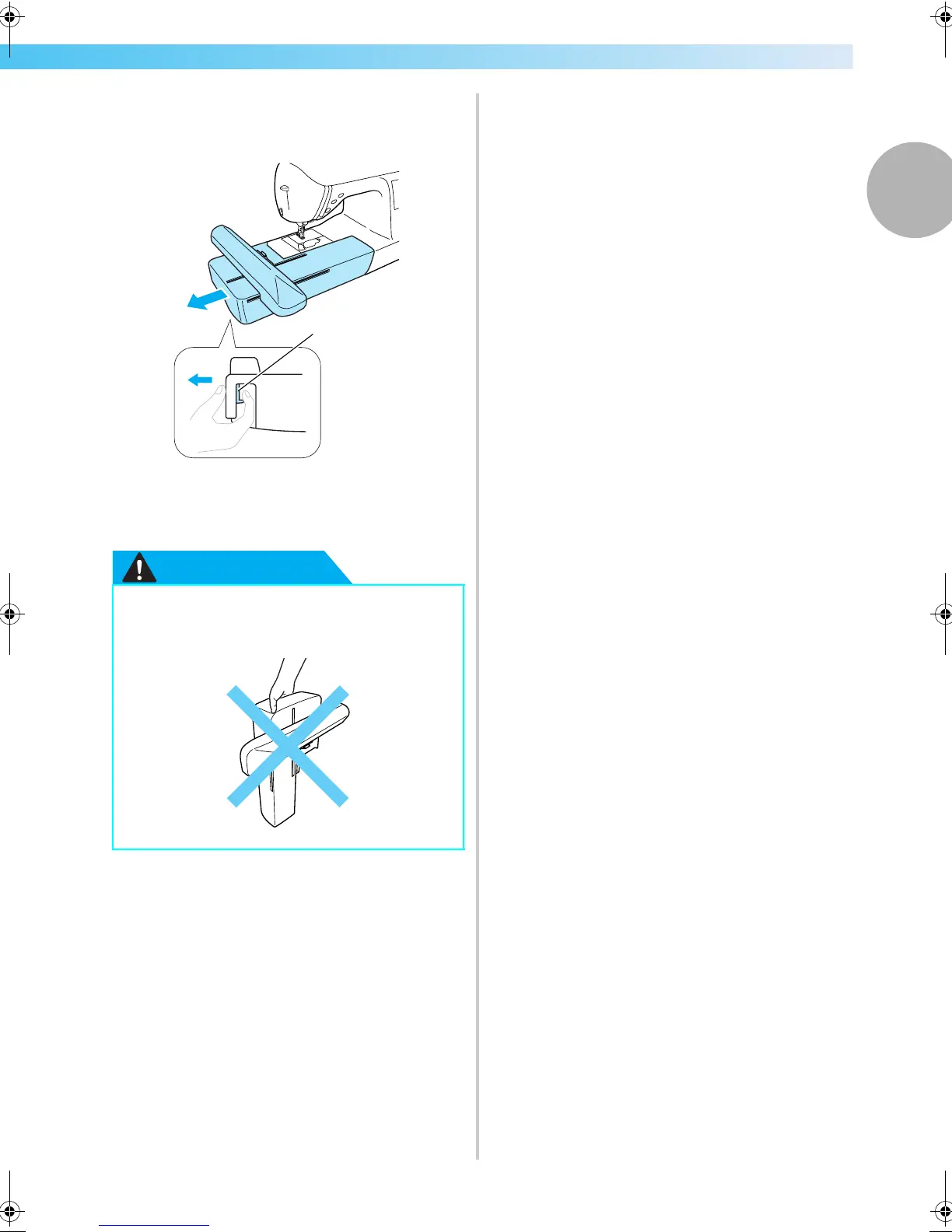
Hold the release button on the bottom left of
the embroidery unit, and slowly pull the
embroidery unit to the left.
a Release button
X The embroidery unit separates from the
machine.
CAUTION
● Do not carry the embroidery unit by
holding the release button compartment.
a
F-combo-BrotherE_sgml.book Page 17 Thursday, November 17, 2005 3:39 PM











 To Next Page