Editing and Saving Patterns 65
2
— — — — — — — — — — — — — — — — — — — — — — — — — — — — — — — — — — — — — — — — — — — — — — — — — — — —
Resewing
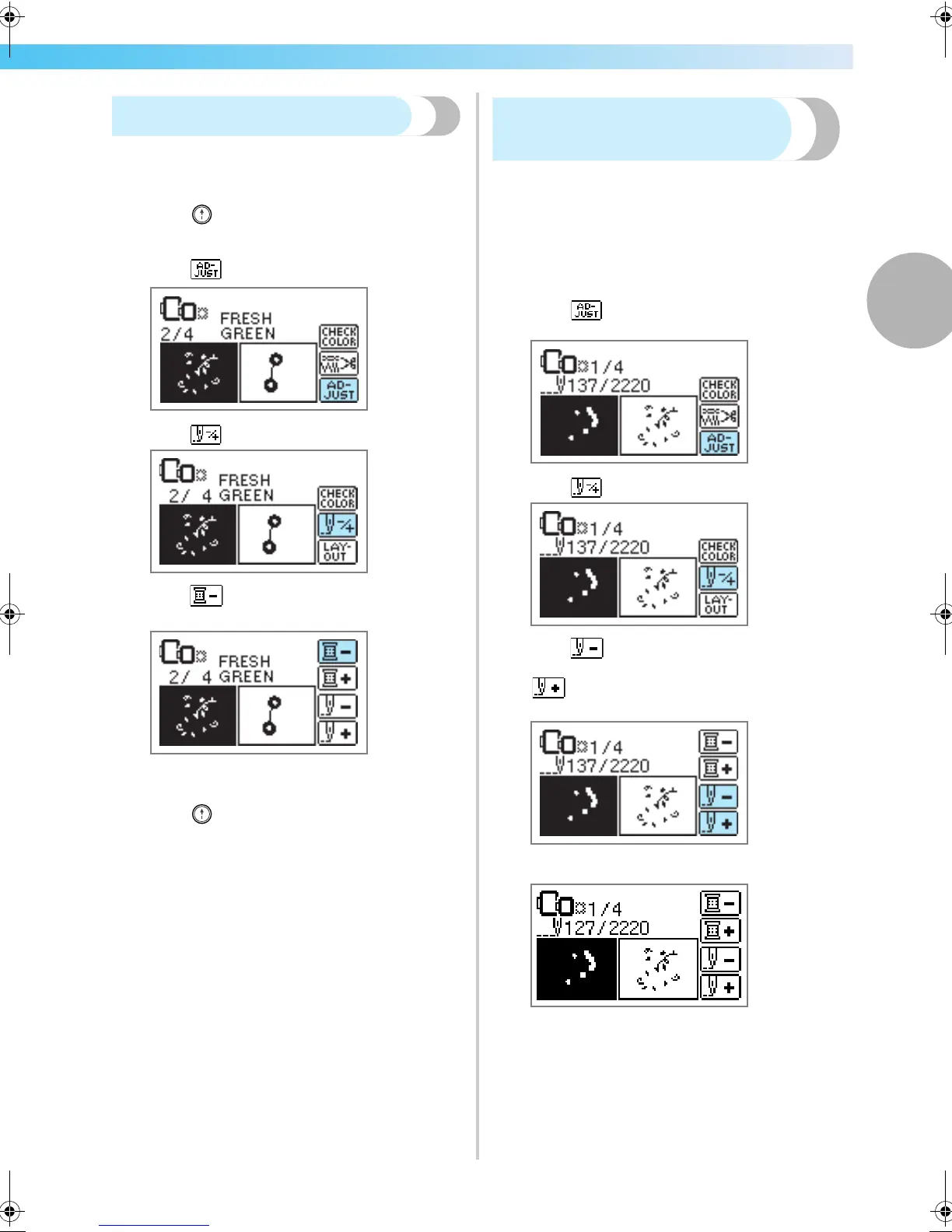
When the wrong upper thread color has been sewn,
it can be resewn with the correct color.
a
Press (Start/stop button) to stop the
machine.
b
Press .
c
Press .
d
Press (Back one color) to return to the
beginning of the mistaken color.
e
Set up the correct color for the upper thread.
f
Press (Start/stop button) to continue the
design.
Thread runs out partway
through a design
When the upper thread or the bobbin thread runs out
while embroidering, the machine stops. Move the
needle back about 10 stitches and resume
embroidering.
a
Set up the upper or bobbin thread.
b
Press .
c
Press .
d
Press (Back one stitch) to move the
needle back about 10 stitches.
(Forward one stitch) increases the stitch
number.
e
Restart the embroidery.
F-combo-BrotherE_sgml.book Page 65 Thursday, November 17, 2005 3:39 PM











 To Next Page