Editing and Saving Patterns 63
2
— — — — — — — — — — — — — — — — — — — — — — — — — — — — — — — — — — — — — — — — — — — — — — — — — — — —
d
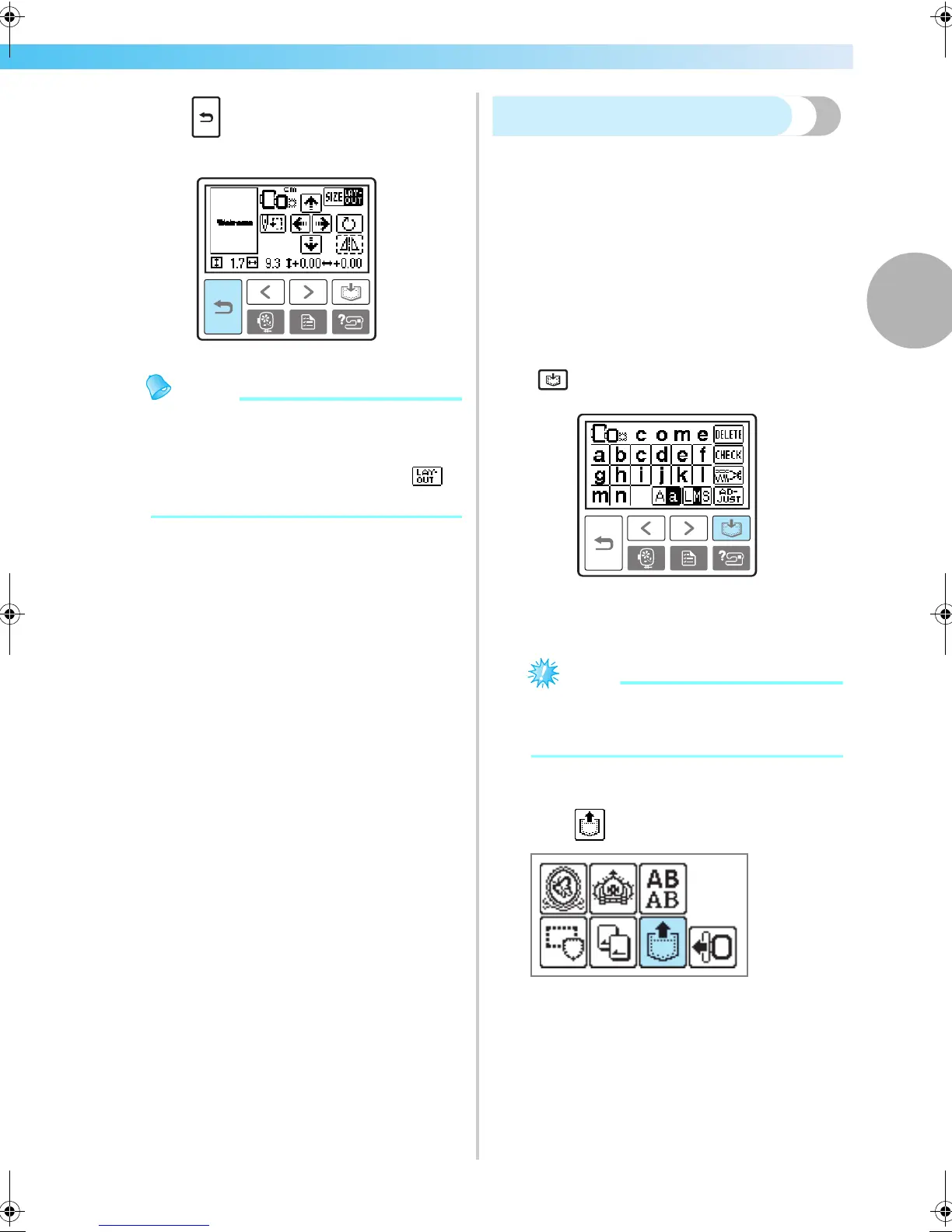
Press (Back key) to return to the original
screen.
Memo
z When the machine is turned off, the layout
returns to the original setting.
z You can also check the pattern size and
distance from the center by pressing
after starting embroidering.
Storing patterns
The embroidery patterns and the alphabet patterns
you have customized can be stored in the machine's
memory.
Since the stored patterns will not be erased when the
machine is turned off, you can always recall them for
embroidery. This is convenient for storing names and
the like. You can store up to 12 patterns or 512 KB of
data.
■ Storing a pattern
a
After selecting the pattern to be stored, press
(Memory key).
X After the pattern is stored, the initial screen
appears again.
Note
z Do not turn off the machine while the
pattern is being stored, otherwise the pattern
data may be lost.
■ Recalling a pattern.
a
Press (Recall key).
X The stored patterns are displayed.
F-combo-BrotherE_sgml.book Page 63 Thursday, November 17, 2005 3:39 PM











 To Next Page