GETTING READY — — — — — — — — — — — — — — — — — — — — — — — — — — — — — — — — — — — — — — — — — — — —
22
a
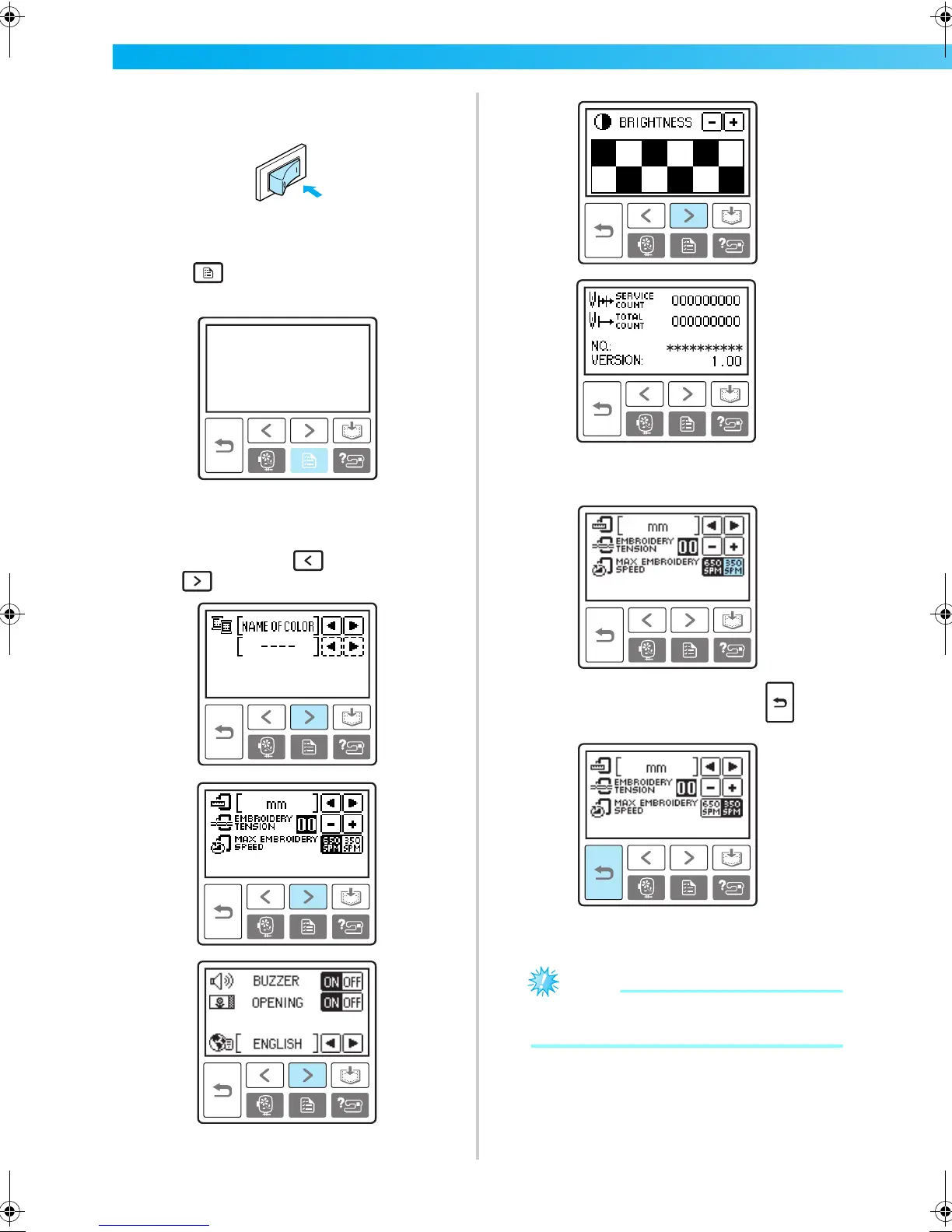
Turn on the machine.
X The LCD comes on.
b
Press (Settings key) on the operation
panel.
X The settings screen appears.
c
Press the item to be set.
Switch screens using (Previous page key)
and (Next page key).
Example: Changing the maximum
embroidering speed
d
When settings are complete, press (Back
key).
X The initial screen appears again.
Note
z Settings that are changed are not lost when
the power is turned off.
F-combo-BrotherE_sgml.book Page 22 Thursday, November 17, 2005 3:39 PM











 To Next Page