Attaching the Embroidery Foot 73
3
— — — — — — — — — — — — — — — — — — — — — — — — — — — — — — — — — — — — — — — — — — — — — — — — — — — —
f
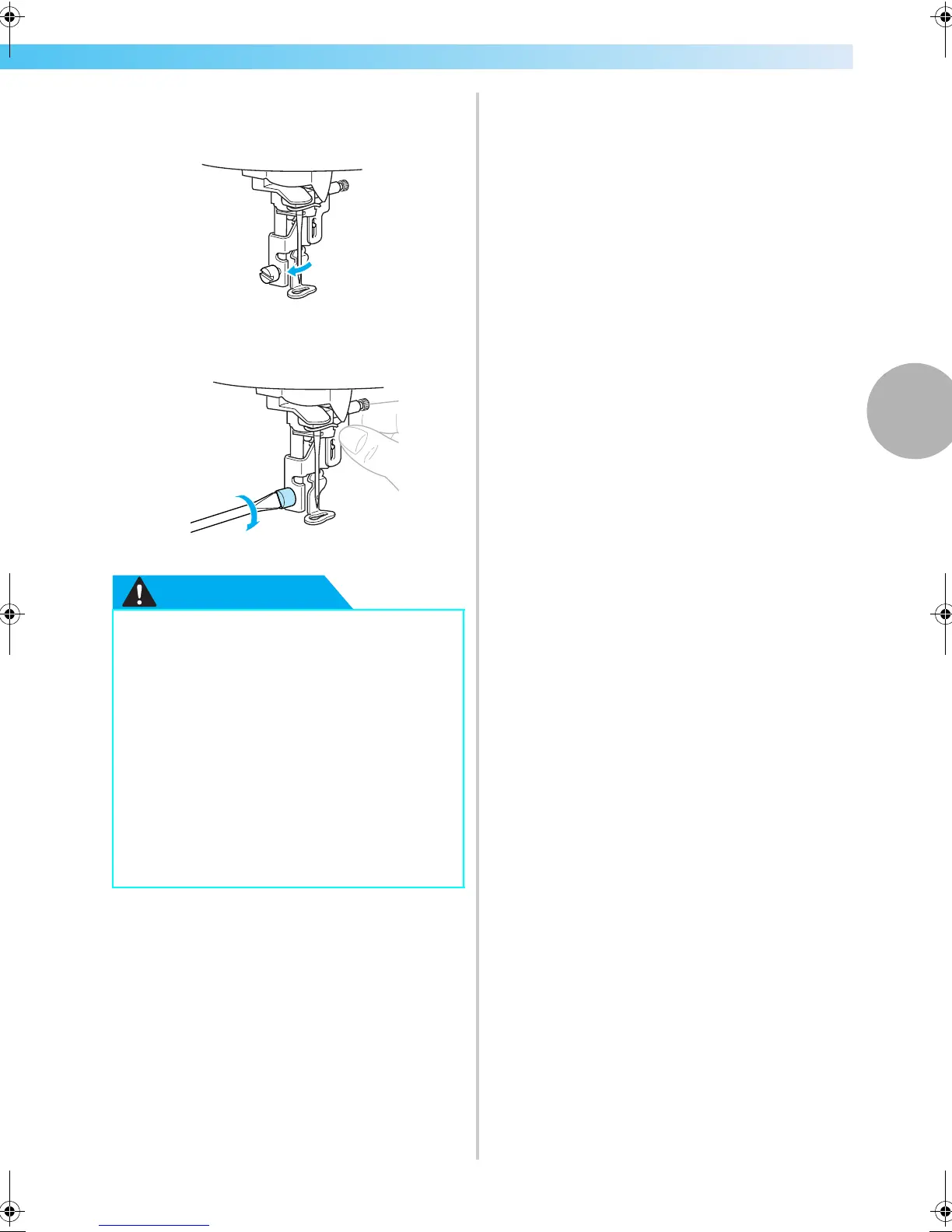
Secure the embroidery foot with the presser
foot holder screw.
Set the embroidery foot perpendicular.
g
Firmly tighten the presser foot holder screw.
Turn the screwdriver toward the front.
CAUTION
● Do not hit the needle with your finger or
the embroidery foot when attaching it.
The needle may break or cause injury.
● Be sure to tighten the screw with the
included screwdriver. If the screw is
loose, the needle may hit the embroidery
foot and break or bend.
● Before embroidering, always turn the
handwheel toward you
(counterclockwise) slowly to make sure
that the needle does not hit the
embroidery foot. Otherwise, the needle
may break or bend.
F-combo-BrotherE_sgml.book Page 73 Thursday, November 17, 2005 3:39 PM











 To Next Page