46
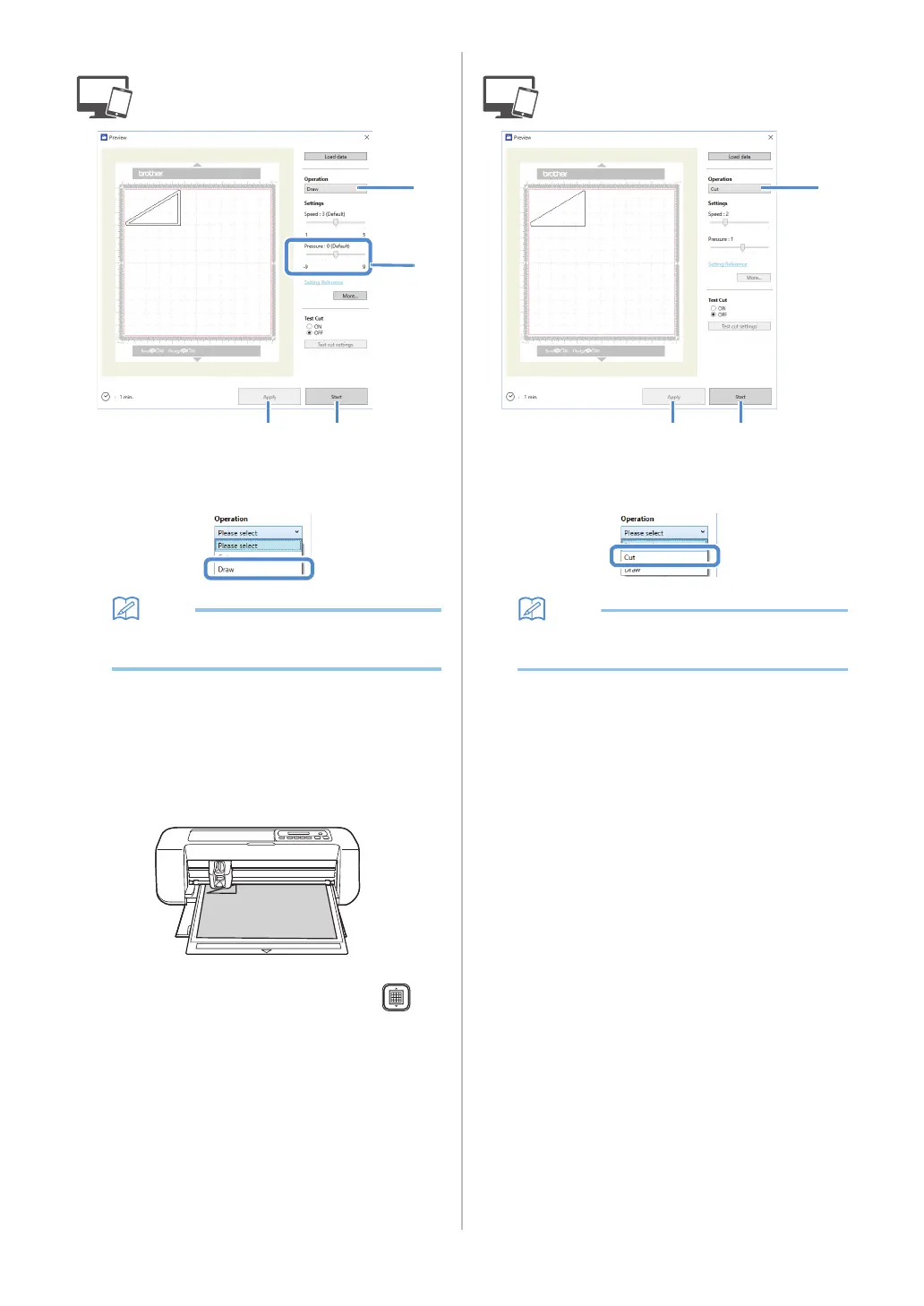
■ Drawing
a Select [Draw] from the [Operation] drop-down
list.
• With the mobile device version:
Preview window→[Operation]→[Draw]
b Adjust the drawing pressure.
For details on adjusting the drawing pressure, see step
f in “Drawing” on page 41.
c Click [Apply].
d Click [Start] to begin drawing.
• To cut around the drawn patterns, keep the mat
inserted into the slot without pressing ,
and continue with the following cutting
procedure.
■ Cutting
a Select [Cut] from the [Operation] drop-down
list.
• With the mobile device version:
Preview window→[Operation]→[Cut]
b Click [Apply].
A preview of the lines to be cut appears.


 To Next Page