EasyManua.ls Logo

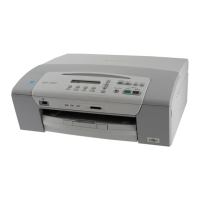
Brother DCP-110C - User Manual

Brother DCP-110C
175 pages
Print Icon
To Next Page IconTo Next Page
Loading...
SOFTWARE USER’S GUIDE
Version D

Table of Contents

Other manuals for Brother DCP-110C

Questions and Answers

  • T
    theresa26Aug 19, 2025
    What to do if my Brother DCP-110C says 'Ink Empty'?
    • T
      trubioAug 19, 2025
      If your Brother All in One Printer displays 'Ink Empty', it means one or more ink cartridges are empty, which stops all print operations. To resolve this, replace the empty ink cartridges.
  • C
    Christine GrimesAug 21, 2025
    How to fix paper jam in Brother DCP-110C?
    • J
      Jesse JohnstonAug 21, 2025
      If your Brother All in One Printer says 'Paper Jam', it means that paper is stuck inside the printer. Please refer to the 'Printer jam or paper jam on page 5-3' for instructions on how to remove the jammed paper.
  • A
    April PalmerAug 23, 2025
    What does 'Near Empty' mean on my Brother DCP-110C?
    • R
      Richard DouglasAug 23, 2025
      If your Brother All in One Printer displays 'Near Empty', it means one or more of the ink cartridges are running out of ink. To prevent interruption, order a new ink cartridge.
  • S
    Sierra JonesAug 26, 2025
    Why does my Brother DCP-110C say 'No Cartridge'?
    • R
      ruthstoneAug 27, 2025
      If your Brother All in One Printer displays 'No Cartridge', it signifies that an ink cartridge isn't properly installed. Remove the ink cartridge and re-install it, ensuring it is correctly seated.
  • E
    Elizabeth ParsonsAug 28, 2025
    Why does my Brother DCP-110C All in One Printer say 'No Paper Fed'?
    • J
      Joseph JensenAug 28, 2025
      If your Brother All in One Printer displays 'No Paper Fed', it could be due to two reasons. First, the printer might be out of paper, in which case you should add paper and then press the Mono Start or Colour Start button. Second, the paper might be jammed in the printer; in this case, please refer to 'Printer jam or paper jam on page 5-3'.
  • M
    Mr. Brian MyersAug 30, 2025
    What to do if my Brother DCP-110C All in One Printer says 'Unable to Change Unable to Clean Unable to Init. Unable to Print Unable to Scan'?
    • A
      Anthony CalderonAug 30, 2025
      If your Brother All in One Printer displays 'Unable to Change Unable to Clean Unable to Init. Unable to Print Unable to Scan', it indicates a mechanical problem or a foreign object inside the printer. Open the scanner cover and remove any foreign obstacles. If the error continues, disconnect the printer from the power source for several minutes, then reconnect it.
  • J
    Jeanette DawsonSep 1, 2025
    What to do if my Brother DCP-110C All in One Printer displays 'Data Remaining'?
    • T
      Tiffany WatsonSep 1, 2025
      If your Brother All in One Printer displays 'Data Remaining', it could be due to print data remaining in the printer's memory. Try restarting the print job from your computer. Alternatively, if the USB cable was unplugged during data transfer, press Stop/Exit to cancel the job and eject the partially printed page.
  • H
    Heather RamirezSep 4, 2025
    What does 'Out of Memory' mean on my Brother DCP-110C?
    • T
      Timothy KennedySep 4, 2025
      If your Brother All in One Printer displays 'Out of Memory', it means the printer's memory is full. If a copy operation is in progress, press Stop/Exit and wait for other operations to finish before trying again.
  • T
    Thomas FlemingSep 6, 2025
    What does 'Media Error' mean on my Brother All in One Printer?
    • H
      Heather MarshallSep 6, 2025
      If your Brother All in One Printer displays 'Media Error', it indicates the media card is corrupted, improperly formatted, or there's a problem with the media drive. Re-insert the card firmly. If the error persists, test the media drive with another known working media card.
  • A
    amber48Sep 8, 2025
    Why does my Brother All in One Printer say 'No File'?
    • J
      Jessica GoodSep 8, 2025
      If your Brother All in One Printer displays 'No File', the media card in the media drive does not contain a .JPG file. Reinsert the correct media card.

Brother DCP-110C Specifications

General IconGeneral
BrandBrother
ModelDCP-110C
CategoryAll in One Printer
LanguageEnglish

Related product manuals