Scan Using Your Computer
33
5
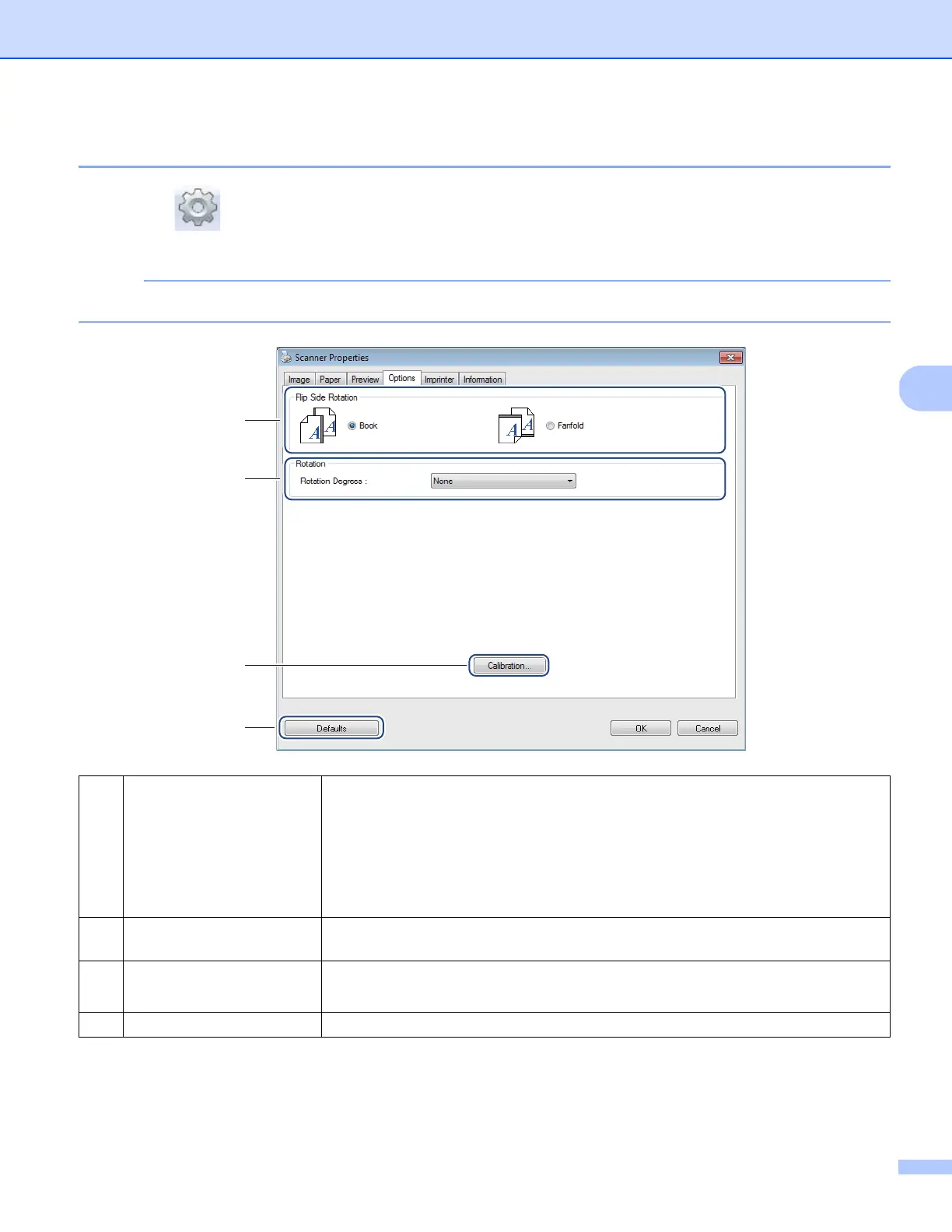
Options settings
Click Setup , and then click the Options tab to set additional image processing settings or calibrate
your scanner.
NOTE
This image is from the DS-920DW.
(1) Flip Side Rotation
(DS-920DW only)
Book
Select Book to maintain the same image orientation on the reverse side of the out-
put page.
Fanfold
Select Fanfold to rotate the image orientation 180 degrees on the reverse side of
the output page.
(2) Rotation Choose the rotation angle from the drop-down list if you want to rotate your
scanned image.
(3) Calibration Calibrate the scanner.
For more information, see Calibration using software (for Windows
®
) on page 66.
(4) Defaults Reset values in this and all other Properties tabs to the original factory settings.
(2)
(3)
(4)
(1)











 To Next Page