Scan Using Your Computer
41
5
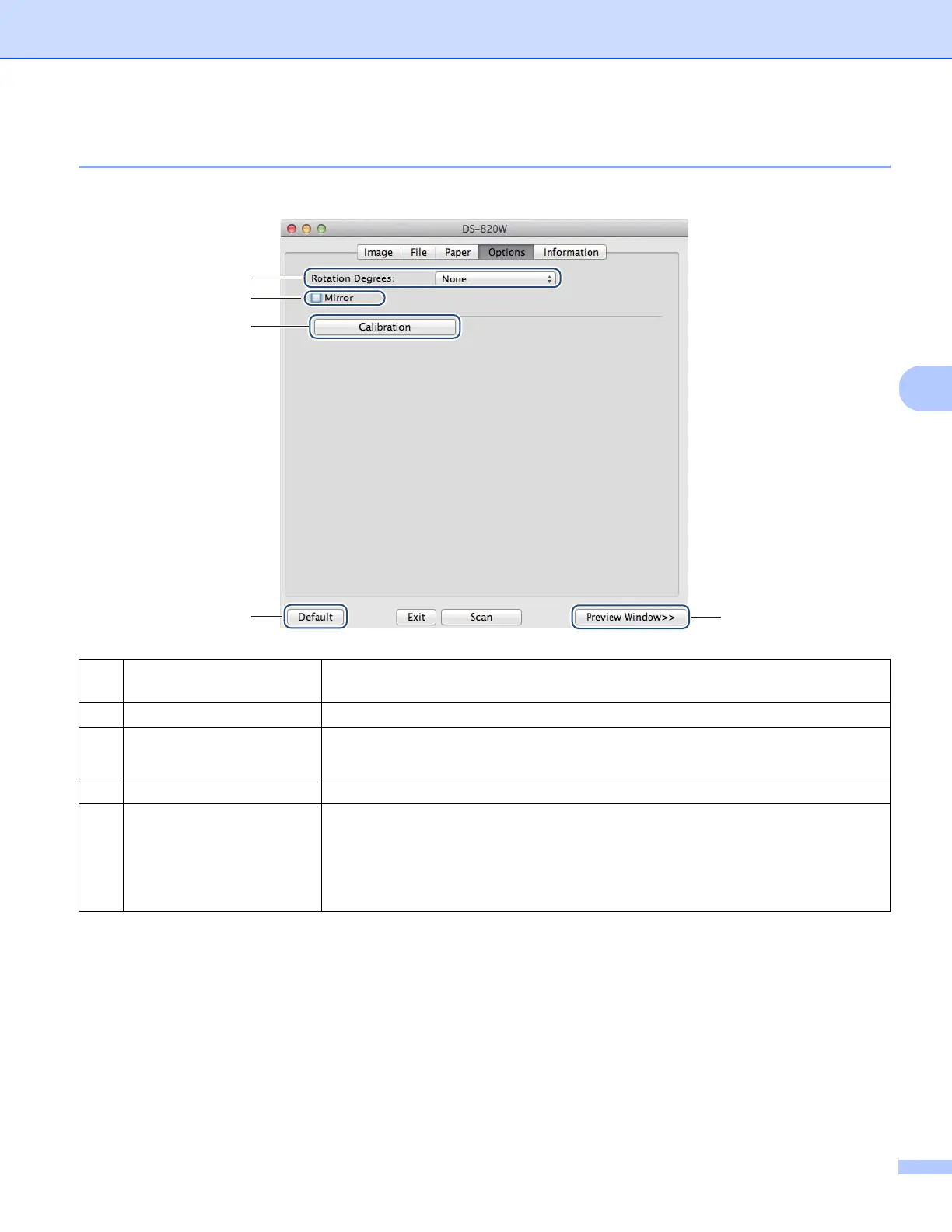
Options settings
Click the Options tab to set some additional image processing settings or calibrate your scanner.
(1) Rotation Degrees Choose the rotation angle from the pop-up list if you want to rotate your scanned
image.
(2) Mirror Select the Mirror check box to reverse your image.
(3) Calibration Calibrate the scanner.
For more information, see Calibration using software (for Macintosh) on page 69.
(4) Default Reset values in this and all other Properties tabs to the original factory settings.
(5) Preview Window Click to preview your image before final scan. This preview image lets you define
your scan area.
When you click Preview, scanning for the preview starts and the scanned image
will appear in the Preview Window. Note that the scanned image is only for the
preview and will not be saved.
(1)
(2)
(3)
(4)
(5)











 To Next Page