65
11
11
Calibrate your scanner only if the scanned images start to look fuzzy, the color looks abnormal (darker than
normal), after 8,000 scans, or if the scanner has been stored without being used for a long time.
You will need the Calibration Sheet that came with your scanner to successfully perform calibration.
Calibration using the control panel
a Turn on your scanner.
b Press the Menu button.
c Press the or button repeatedly to select CAL on the LCD.
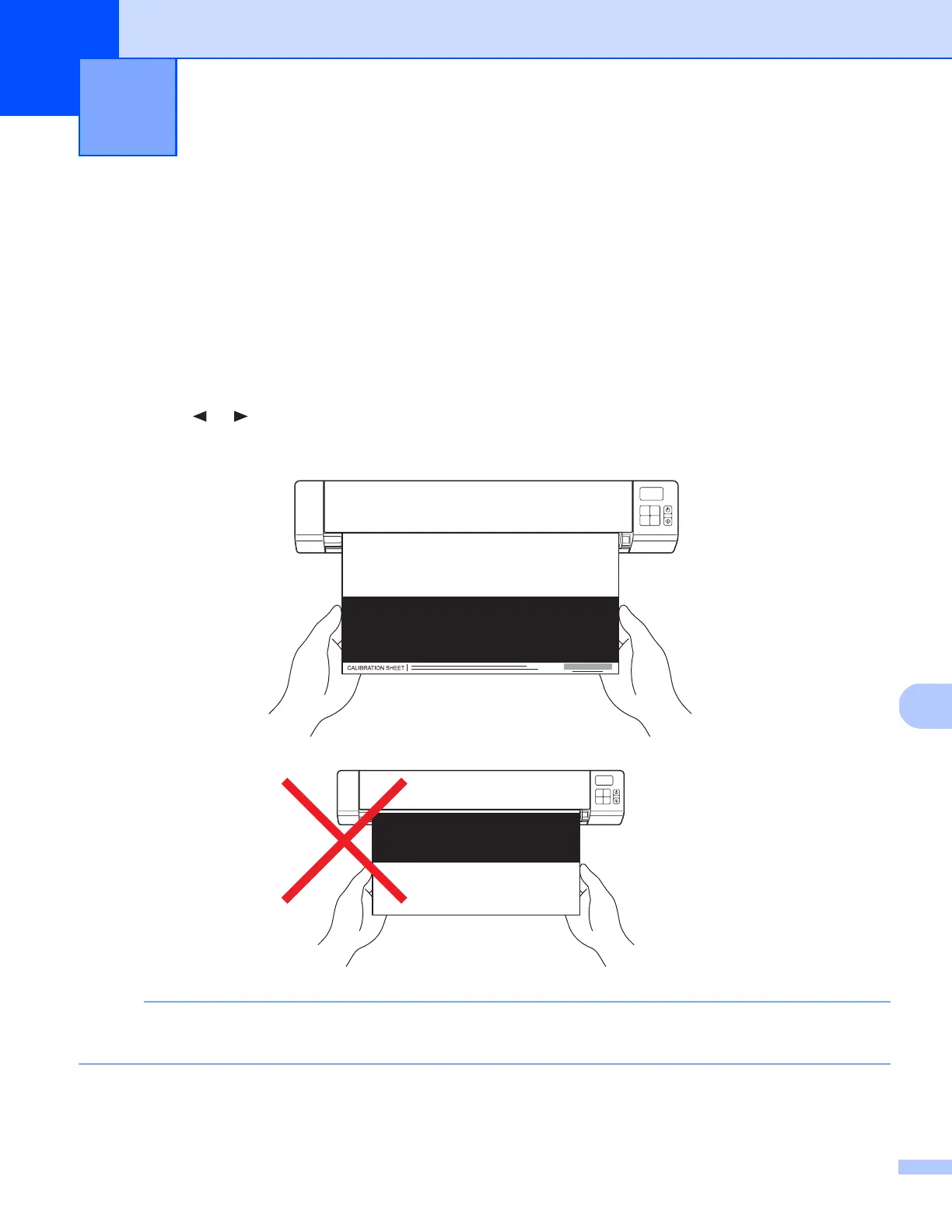
d Hold the edges of the Calibration Sheet and insert it into the feeder slot as shown below.
NOTE
Hold only the edges of the calibration sheet and be careful not to touch the white or black area. Leaving
marks or fingerprints on this sheet can cause errors in calibration.
Scanner Calibration 11











 To Next Page