63
10
10
Configuring Wi-Fi
®
settings in access point (AP) mode
Configure network settings
You can configure network settings in your browser.
a Access the browser in AP mode.
For more information, see Connecting in access point (AP) mode on page 49.
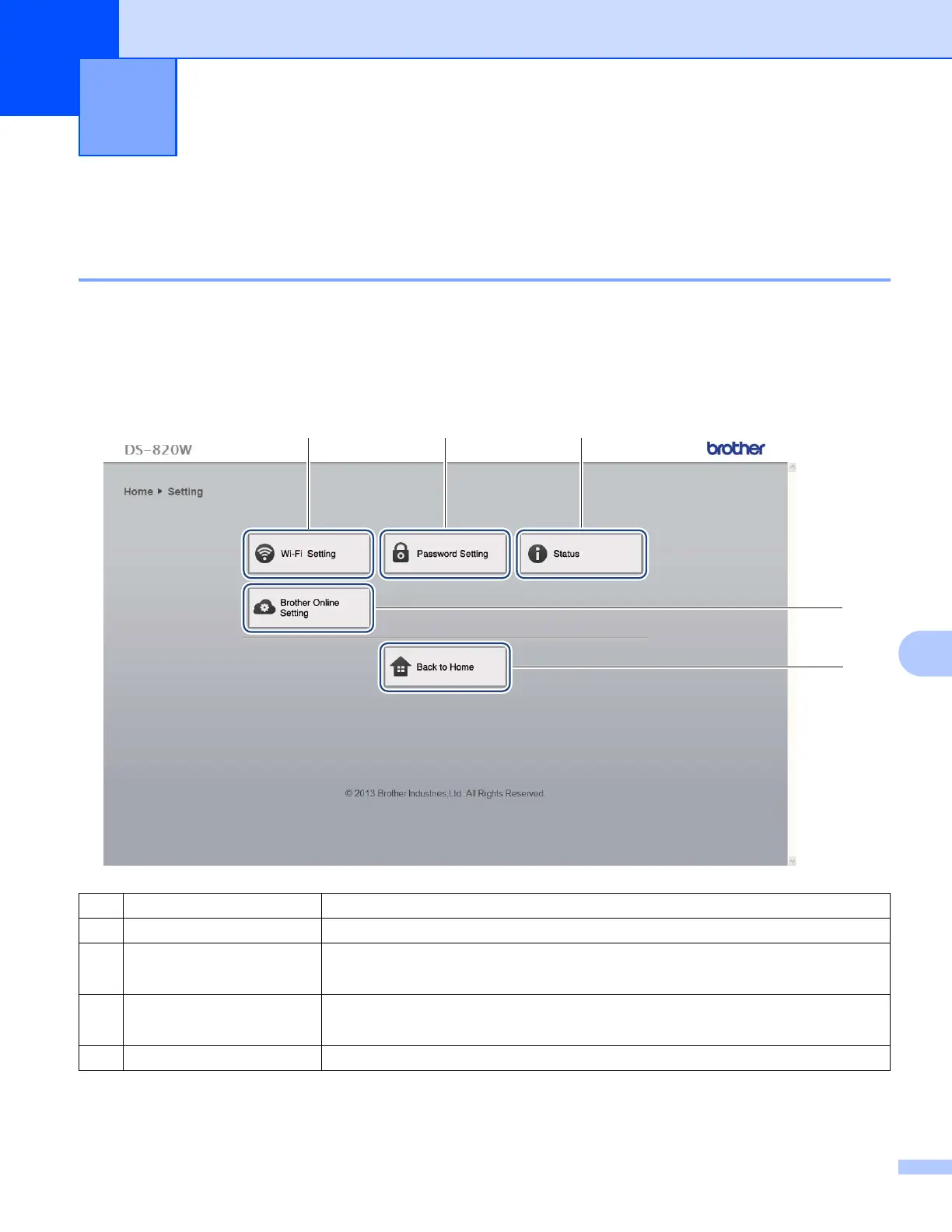
b Click Settings.
Changing Settings Using Your Browser 10
(1) Wi-Fi Setting Set the SSID (network name) and Pre-Shared Key.
(2) Password Setting Set the password to log in.
(3) Status Check the status of the current access point.
Check the firmware version.
(4) Brother Online Setting Configure your BOL (Brother Online) Account.
Configure Wi-Fi
®
settings for Internet access in infrastructure mode.
(5) Back to Home Return to the Home screen.
(1) (2) (3)
(5)
(4)











 To Next Page