Scan Using Your Computer
28
5
Changing DSmobileCapture scan settings (for Windows
®
)
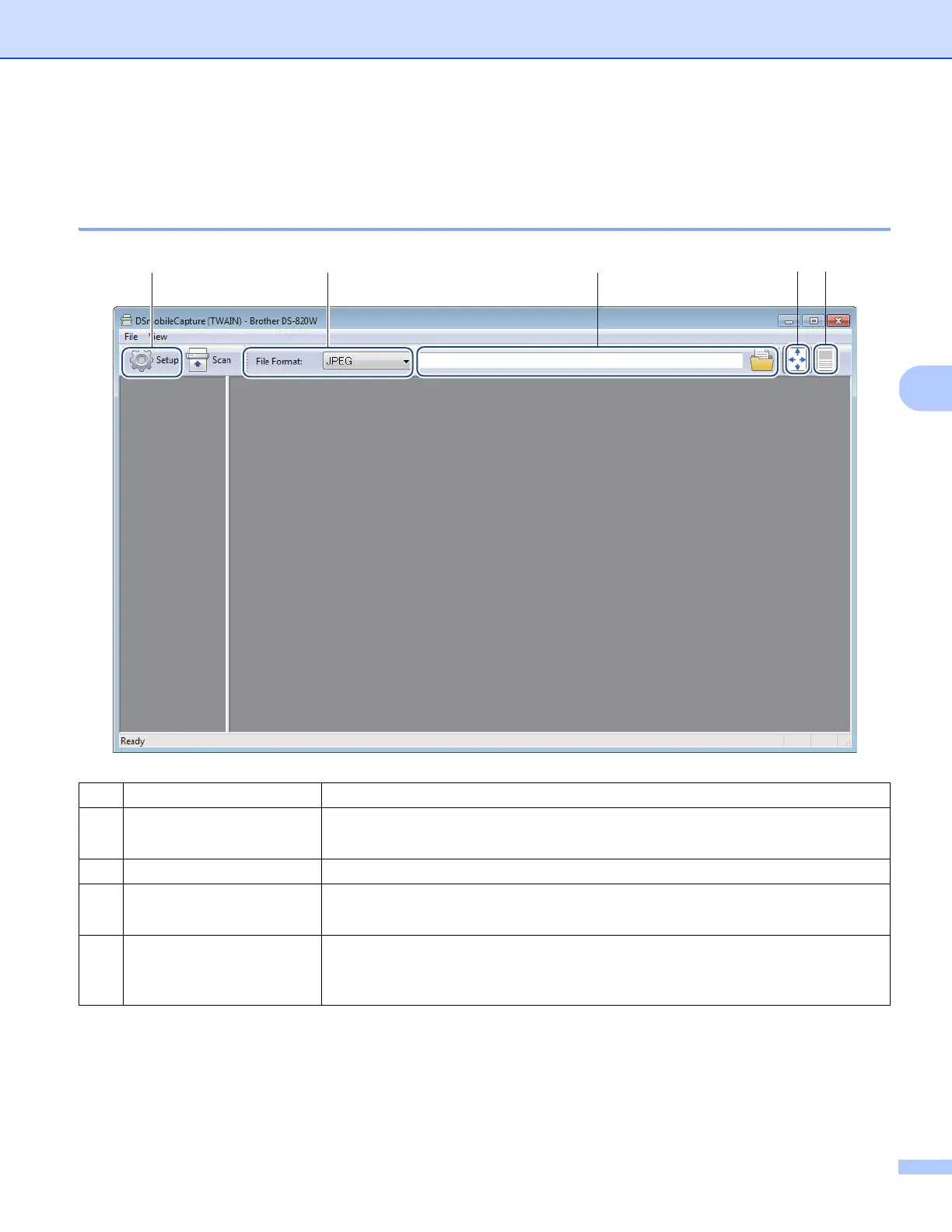
File settings
(1) Setup Change scanner properties.
(2) File Format Change the file format.
Select the format you want from the drop-down list.
(3) Path Specify the directory where you want to save scanned images.
(4) Fit Page You can view and size the scanned image.
You cannot use Fit Page when PDF or Multi-page PDF is chosen in File Format.
(5) Actual Size (100%) You can view the scanned image in Actual Size (100%).
You cannot use Actual Size (100%) when PDF or Multi-page PDF is chosen in
File Format.
(2)(1) (3) (4) (5)











 To Next Page