Scanner Calibration
68
11
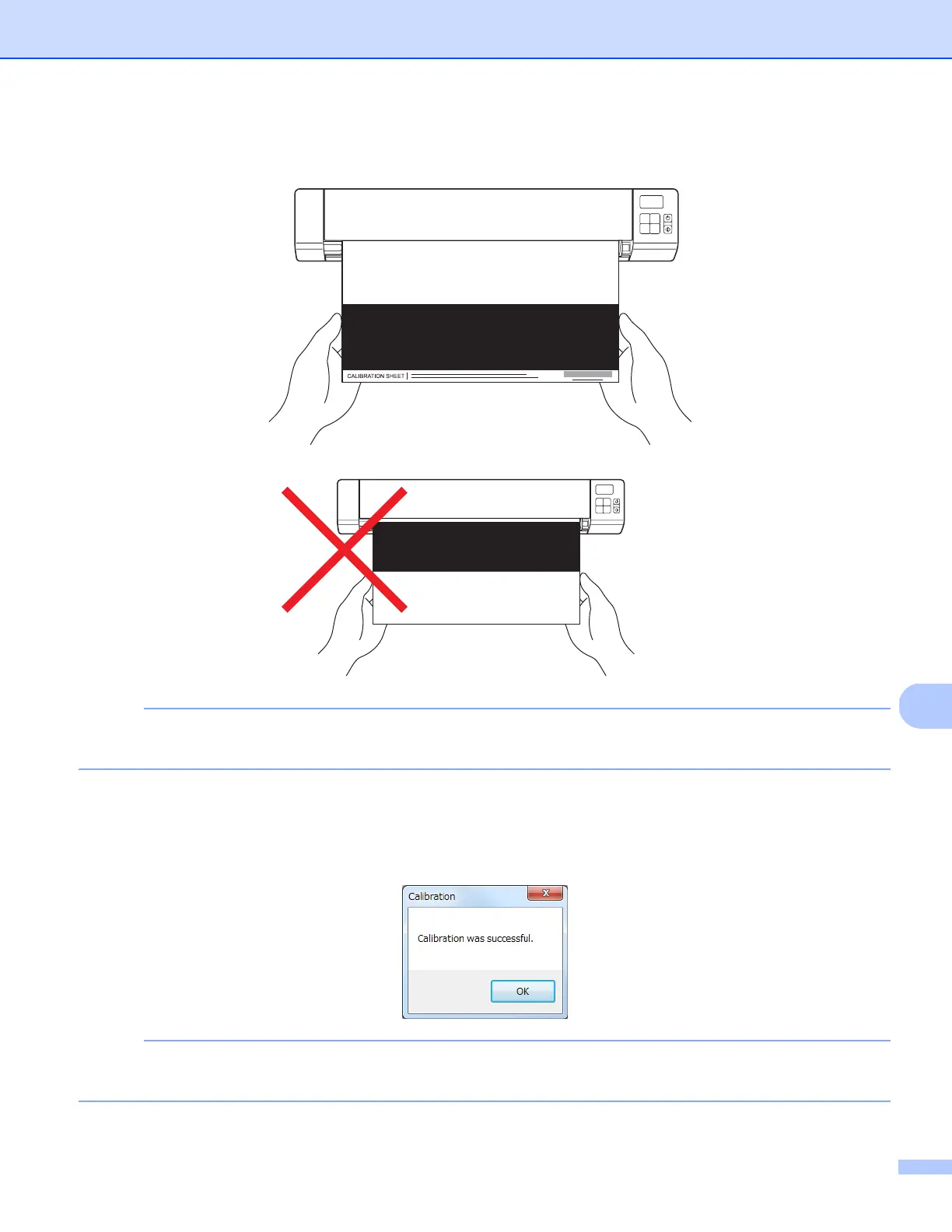
h Hold the edges of the Calibration Sheet and insert it into the feeder slot as shown below.
Click Yes.
NOTE
Hold only the edges of the Calibration Sheet and be careful not to touch the white or black area. Leaving
marks or fingerprints on this sheet can cause errors in calibration.
i Scanning starts automatically.
j After the Calibration Sheet is scanned, a Calibration was successful message appears on your
screen, indicating that calibration is finished. Click OK to end calibration, and then click OK to close the
Options screen.
NOTE
If a Calibration failed message appears on your screen, remove the Micro USB Cable from your
computer. Reconnect the Micro USB Cable to the computer and perform the calibration again.











 To Next Page