29
4
4
Overview 4
The Driver Deployment Wizard software can be used to ease the installation or even automate the installation
of a locally connected or network connected printer. The Driver Deployment Wizard can also be used to
create self running executable files which when run on a remote PC, completely automates the installation of
a printer driver. The remote PC does not have to be connected to a network.
Connection methods 4
The Driver Deployment Wizard supports the two connection methods.
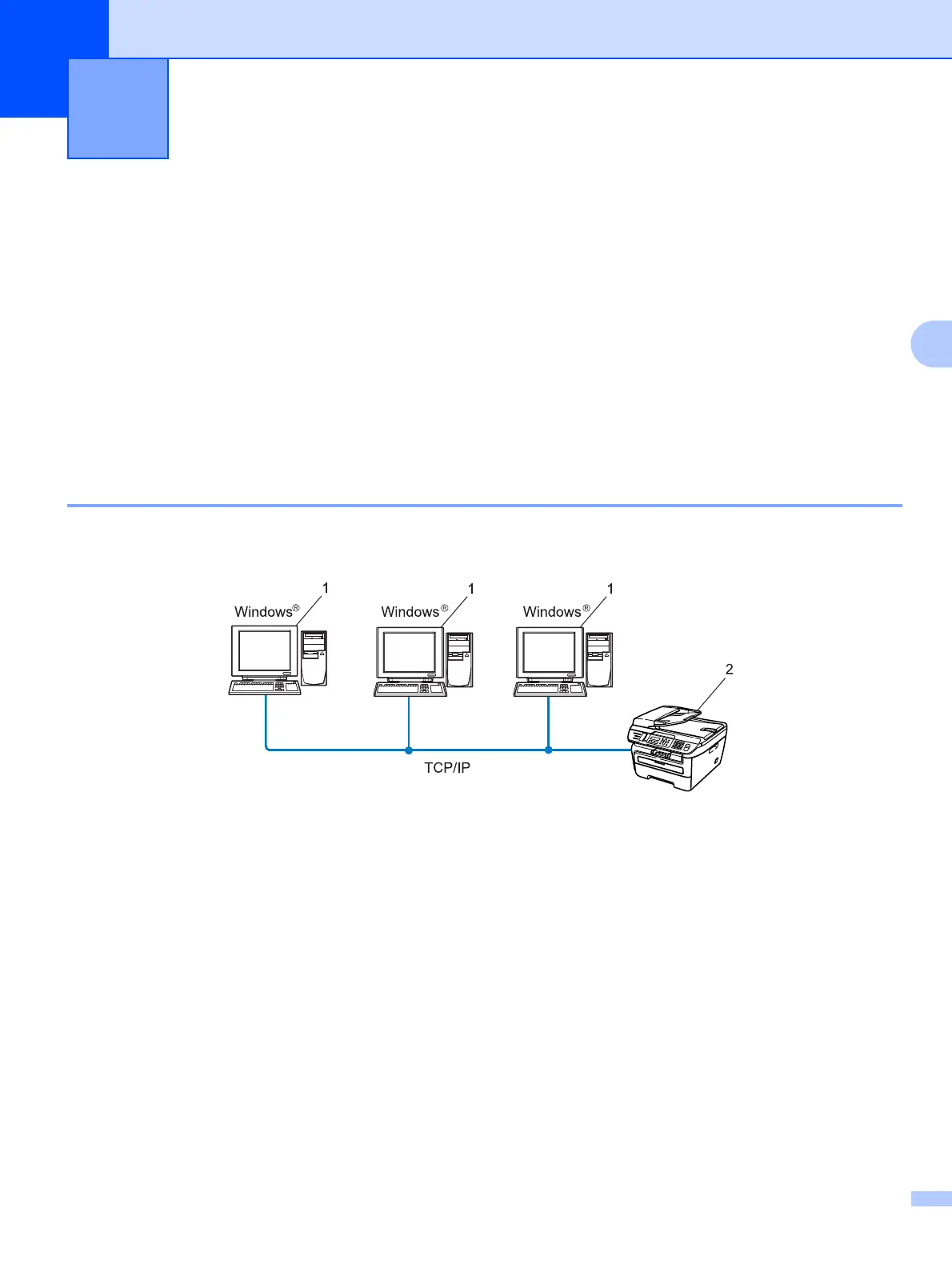
Peer-to-peer 4
The device is connected to the network but each user prints directly to the printer WITHOUT printing through
a central queue.
1 Client computer
2 Network printer (your machine)
Driver Deployment Wizard
(Windows
®
only) 4



 To Next Page
 Loading...