Home > Fax > Voice Operations and Fax Numbers > Store Fax Numbers > Store Address Book Numbers
Store Address Book Numbers
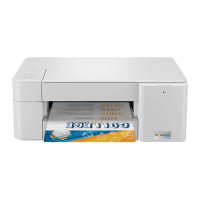
>> MFC-J1010DW/MFC-J1012DW
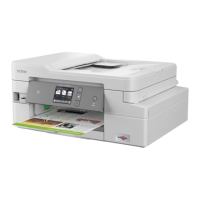
>> MFC-J1170DW
MFC-J1010DW/MFC-J1012DW
You can store up to 40 Address Book numbers as two-digit Speed Dial numbers, and give each number a name.
1. Press (Address Book).
2. Press a or b to select [Set Speed Dial]. Press OK.
3. Press a or b to select the following:
a. Select the two-digit Speed Dial number where you want to store the number. Press OK.
b. Select [Name]. Press OK.
c. Enter the name (up to 16 characters) using the dial pad. Press OK.
d. Select [Fax/Tel]. Press OK.
e. Enter the fax or telephone number (up to 20 digits). Press OK.
• Press Redial/Pause to insert a pause between numbers. You can press Redial/Pause as many times
as needed to increase the length of the pause.
f. Select [OK] and then press OK.
To store another Speed Dial number, repeat these steps.
4. Press Stop/Exit.
MFC-J1170DW
1. Press [Fax] > [Address Book].
2. Do the following steps:
a. Press [Edit] > [Add New Address] > [Name].
b. Enter the name (up to 16 characters) using the touchscreen. Press [OK].
c. Press [Address 1].
d. Enter the first fax or telephone number (up to 20 digits) using the touchscreen. Press [OK].
• Press [Pause] to insert a pause between numbers. You can press [Pause] as many times as needed
to increase the length of the pause.
e. To store the second fax or telephone number, press [Address 2]. Enter the second fax or telephone
number (up to 20 digits) using the touchscreen. Press [OK].
f. Press [OK] to confirm.
To store another Address Book number, repeat these steps.
3. Press .
Related Information
• Store Fax Numbers
Related Topics:
• Dial Access Codes and Credit Card Numbers
• Set up Broadcasting Groups
195


 To Next Page
 Loading...