112
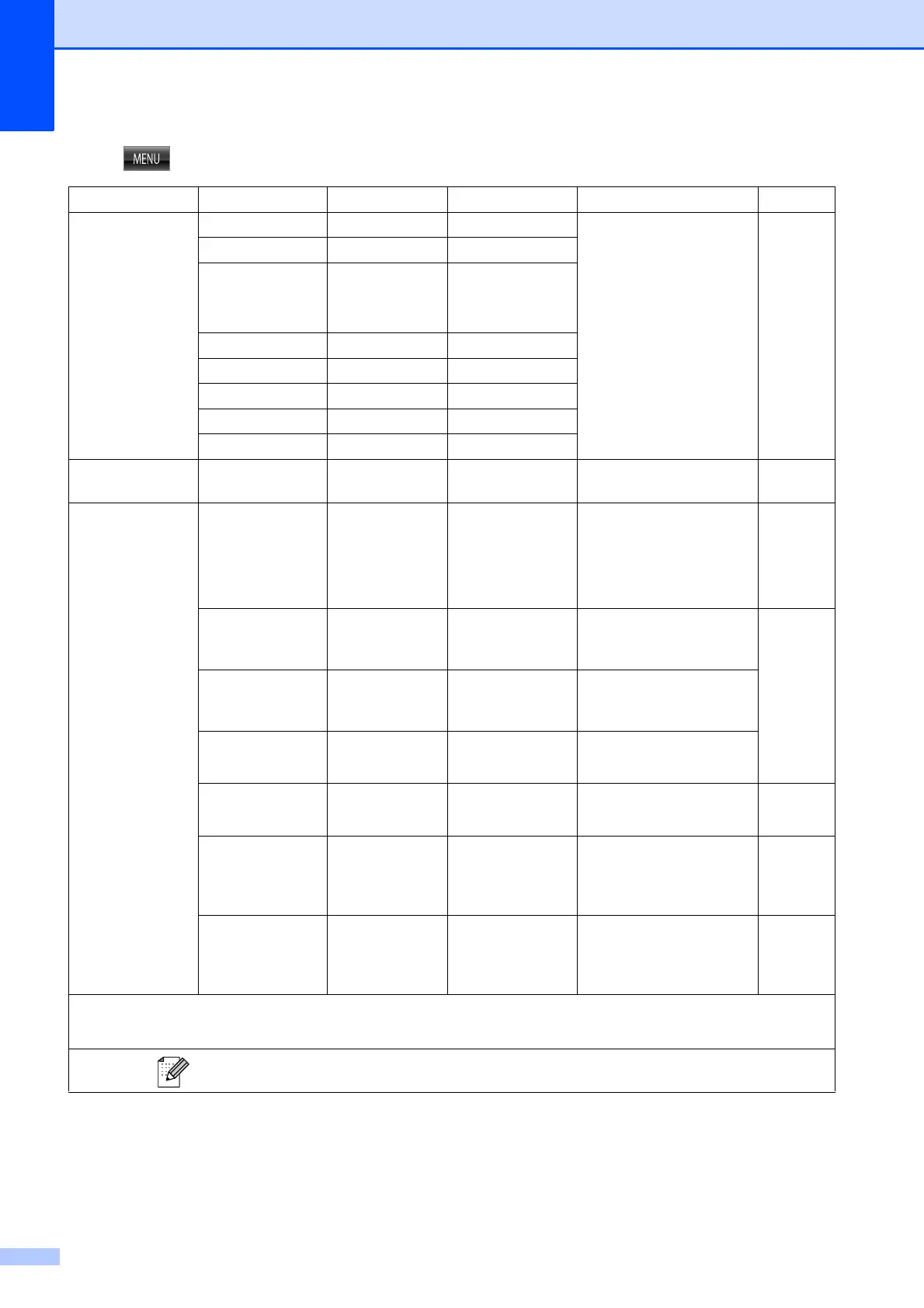
MENU ( ) (continued)
Level1 Level2 Level3 Options Descriptions Page
Print Rep orts Transmission — — Prints these lists and
reports.
See
1
.
Help List ——
Quick Dia l — Alphabetical
Order
Numerical Order
Fax Journ al ——
User Sett ings ——
Network Config
——
WLAN Repo rt ——
Caller ID hist.
——
Machine I nfo. Serial No. — — Lets you check the serial
number of your machine.
99
Initial S etup Receive Mode — Fax Only*
Fax/Tel
External TAD
Manual
Choose the Receive Mode
that best suits your needs.
35
Date&Time — — Puts the date and time on
the LCD and in headings
of faxes you send.
See
2
.
Station I D — Fax:
Name:
Enter your name and fax
number to appear on each
page you fax.
Tone/Pulse
(Canada only)
— T one*
Pulse
Choose the dialing mode.
Dial Tone — Detection
No Det ection*
You can shorten the dial
tone detect pause.
98
Dial Pref ix — On
Off*
Sets a prefix number that
will always be added
before the fax number
every time you dial.
See
1
.
Compatibility — H igh*
Normal
Basic(for VoIP)
Adjusts the modem speed
to help resolve
transmission problems.
98
1
See Advanced User’s Guide.
2
See Quick Setup Guide.
The factory settings are shown in Bold with an asterisk.



 To Next Page
 Loading...











