General information
9
1
Basic Operations 1
To operate the Touchscreen use your finger
to press the MENU or option button directly on
the Touchscreen. To display and access all
the screen menus or options in a setting,
press dc or ab to scroll through them.
DO NOT press the Touchscreen with a
sharp object, such as a pen or stylus. It
may damage the machine.
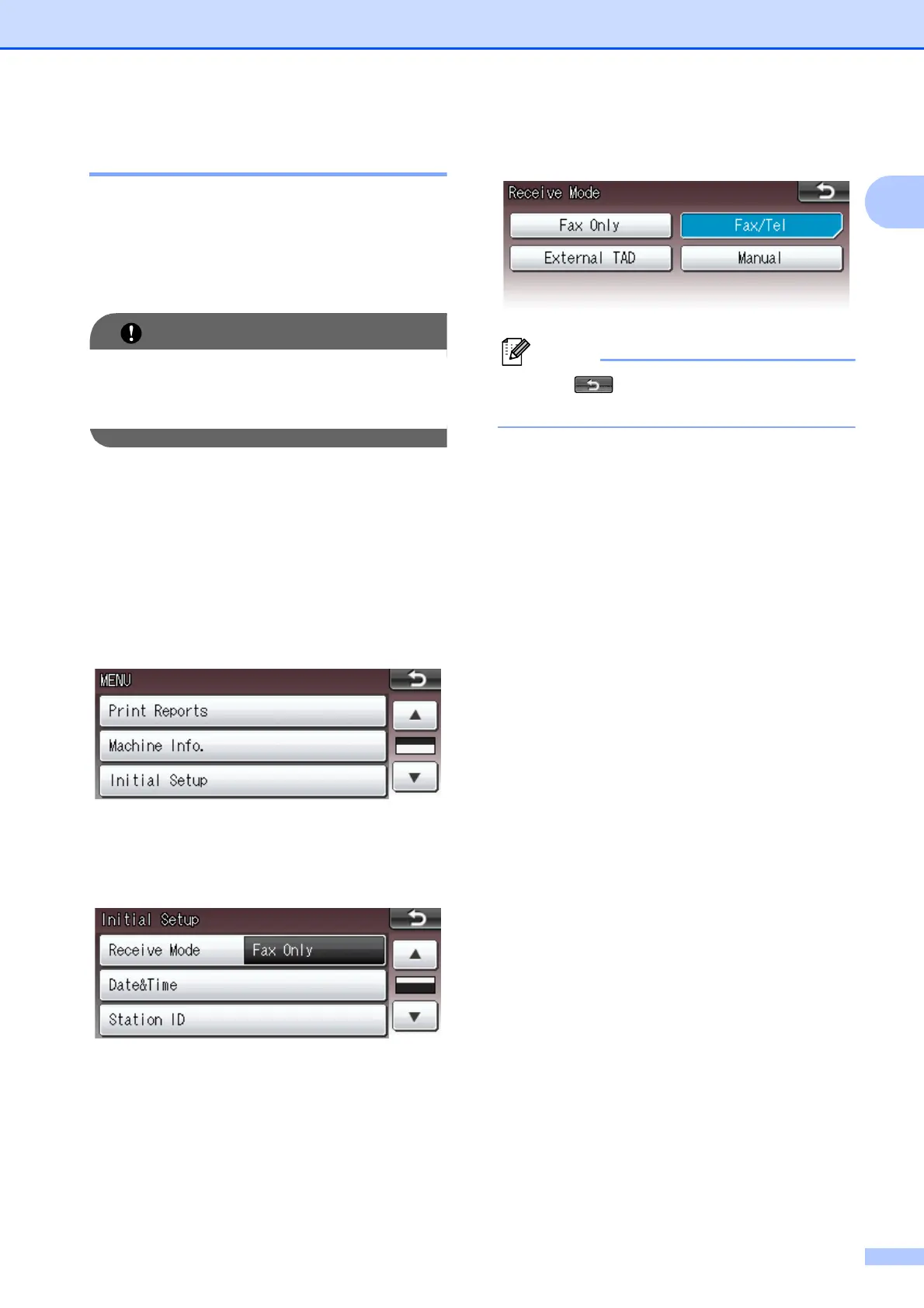
The following steps show how to change a
setting in the machine. In this example the
Receive Mode setting is changed from
Fax Only to Fax/Tel.
a Press MENU.
b Press a or b to display
Initial Setup.
c Press Initial Setup.
d Press a or b to display Receive Mode.
e Press Receive Mode.
f Press Fax/Tel.
Press to go back to the previous
level.
g Press Stop/Exit.



 To Next Page
 Loading...











