EDITING A LABEL
42
Automatic Currency Conversion
Using the currency conversion function you can easily convert Euros to and from other
currencies and add the two prices to the text of your label. Simply select the currency
you want to work with and the layout of the result to easily create labels with prices in
both Euros and another currency.
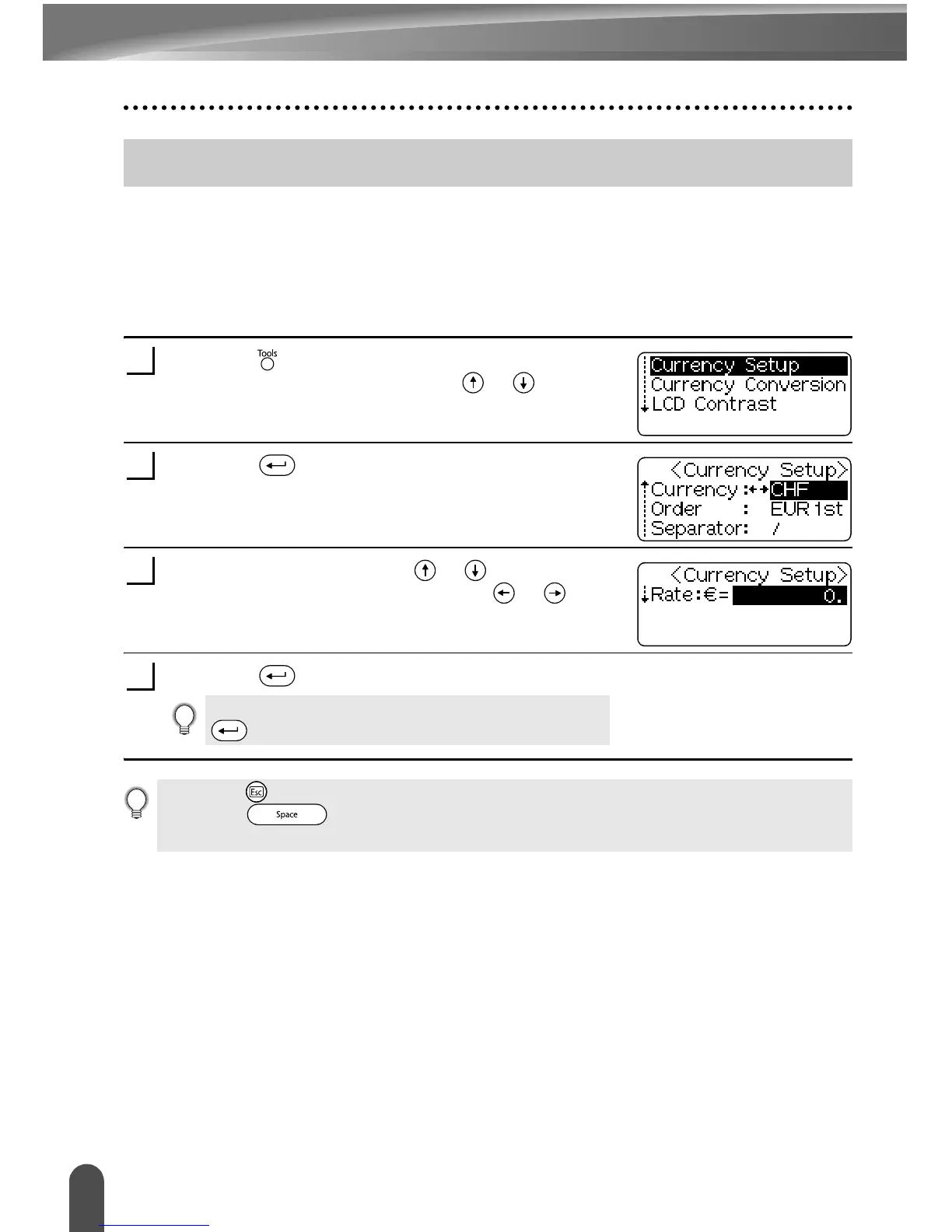
Currency Conversion Setup
Press the key to display the Tools menu, and then
select “Currency Setup” using the or keys.
Press the key.
The Currency Setup screen is displayed.
Select an attribute using the or keys, and then
set a value for that attribute using the or keys,
or the numeric keys to enter the conversion rate.
Press the key to apply the settings.
Automatic Currency Conversion
1
2
3
New settings are NOT applied if you do not press the
key.
4
• Press the key to return to the previous step.
• Press the key to set the selected attribute to the default value.
• Refer to the Currency Conversions Options table for a list of all available settings.


 To Next Page
 Loading...