EasyManua.ls Logo

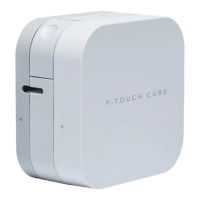
Brother P-TOUCH CUBE - User Manual

Brother P-TOUCH CUBE
17 pages
Print Icon
To Next Page IconTo Next Page
Loading...
User’s Guide (English)
ELECTRONIC LABELING SYSTEM

Questions and Answers

Brother P-TOUCH CUBE Specifications

General IconGeneral
Printing TechnologyThermal Transfer
ConnectivityBluetooth
Tape Width3.5mm, 6mm, 9mm, 12mm
CutterManual
Maximum Print Resolution180 dpi
Print Speed20mm/sec
Compatible TapesTZe
Power Source6 x AAA batteries (LR03, HR03) or AC adapter (AD-24, not included)
ModelBrother P-TOUCH CUBE
Mobile Device CompatibilityiOS and Android
Maximum Print Height9mm
Weight0.38 kg
Maximum Tape Width12mm (0.47")
Dimensions115mm (W) x 115mm (D) x 61mm (H)

Summary

Safety Precautions

General Safety Warnings

Guidelines to avoid severe risks like fire, burns, injury, electric shocks, and rupture.

Cautionary Safety Measures

Guidelines to avoid minor injuries, liquid leakage, burns, and heat during operation.

Performing Routine Maintenance

Cleaning the Label Printer Case

Instructions on how to clean the exterior of the label printer using a soft cloth.

Troubleshooting

Parts and Components

Install Batteries

Connect the AC Adapter

Turn the Label Printer On or Off

LED Indications

Pair the Label Printer with Your Mobile Device

Print Labels

Related product manuals