42
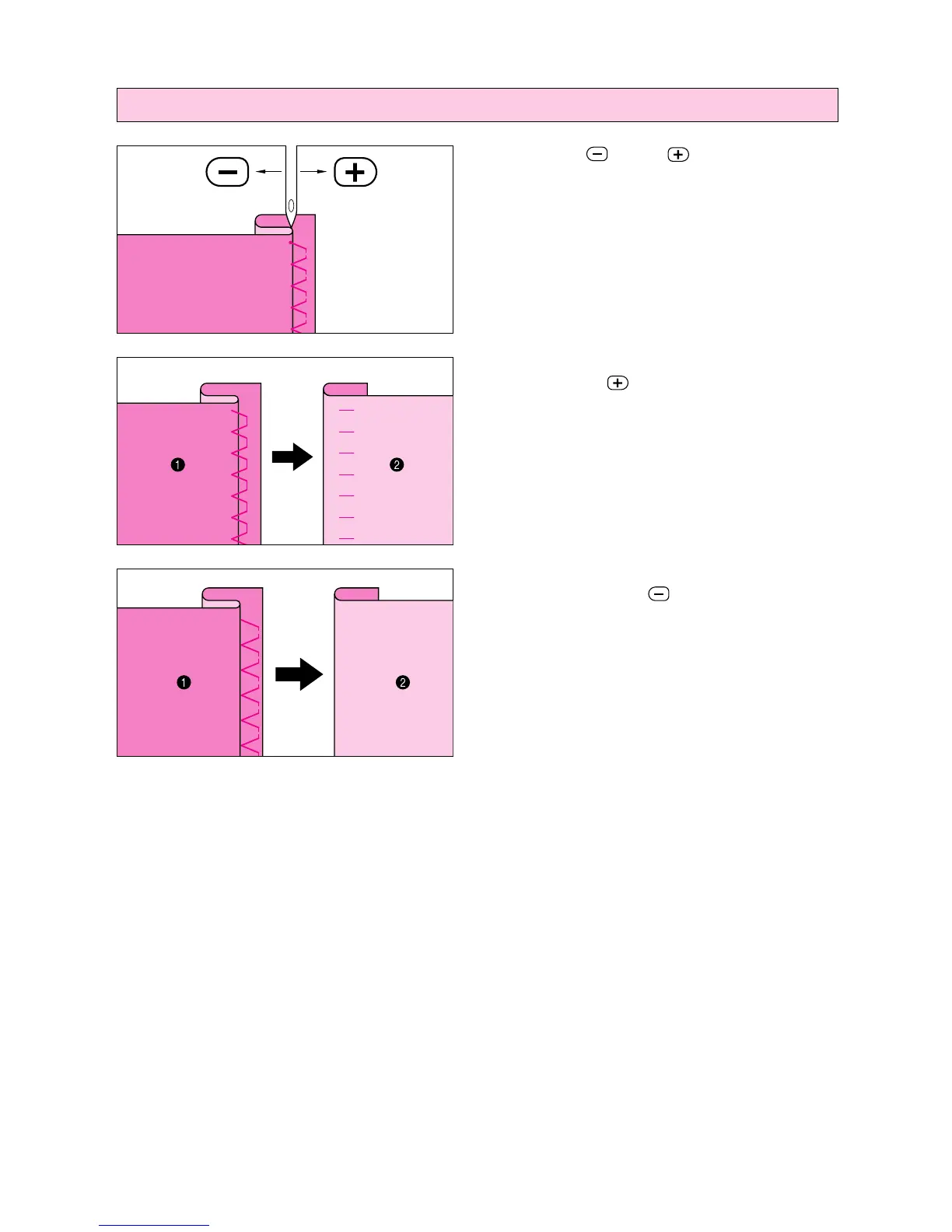
Adjusting the needle drop point
Touch the “ ” and “ ” stitch width keys to
adjust the needle drop point so that the needle
slightly catches the fold of the hem.
A– If the needle catches too much of the hem fold,
touch the “
” stitch width key. This moves
the needle away from the fold.
1 Reverse side
2 Surface
B– If the needle does not catch enough of the hem
fold, touch the “
” stitch width key. This
moves the needle closer to the fold.
1 Reverse side
2 Surface
A
B




 To Next Page