76
01
56
01234
56789
1
2
3. FONTS AND DECORATIVE STITCHES
FONT STITCHES
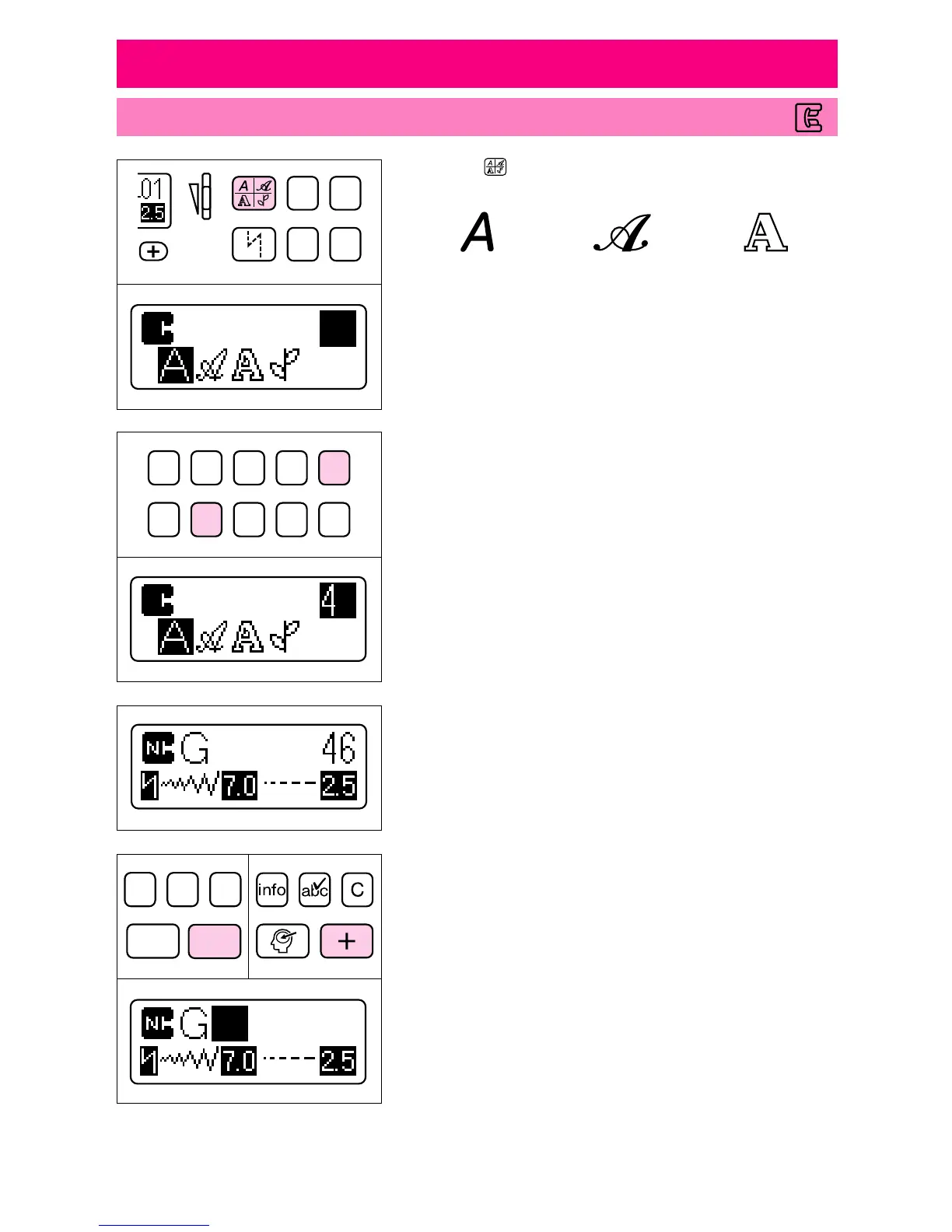
1. Touch “ ” until the cursor (“
■
”) moves over the type of
font that you want to sew.
Block font Italic font Outline font
2. Use the stitch selection keys to enter the number of the de-
sired character. The selected character appears on the screen.
* A two-digit number must be entered when selecting the stitch.
3. When combining characters, touch the enter key, then use
the stitch selection keys to enter the number of the next char-
acter.
* Up to 70 characters can be combined into a single pattern.
info
cfm
clear
enter
memory
N
▼ 0.4 seconds later




 To Next Page