62
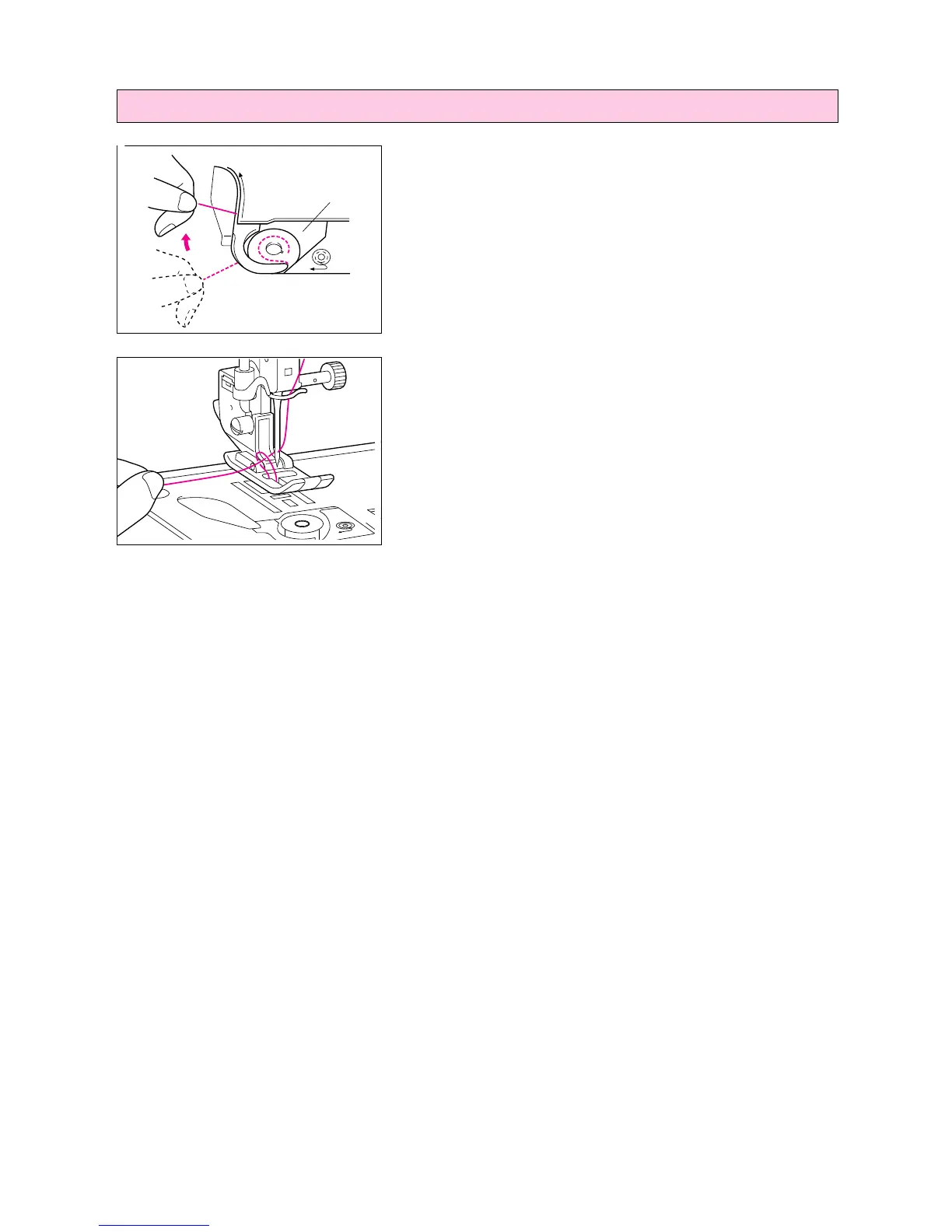
1. Pass the thread along the groove in the direction of the arrow,
and leave it there without cutting it.
1 Shuttle
* The bobbin cover should still be removed.
2. While holding the upper thread, press the “NEEDLE POSI-
TION” button twice, and then pull out the bobbin thread.
3. Replace the bobbin cover.
Pulling out the bobbin thread
1
6




 To Next Page