9
Tutorial
Understanding the Window and Using
Tools
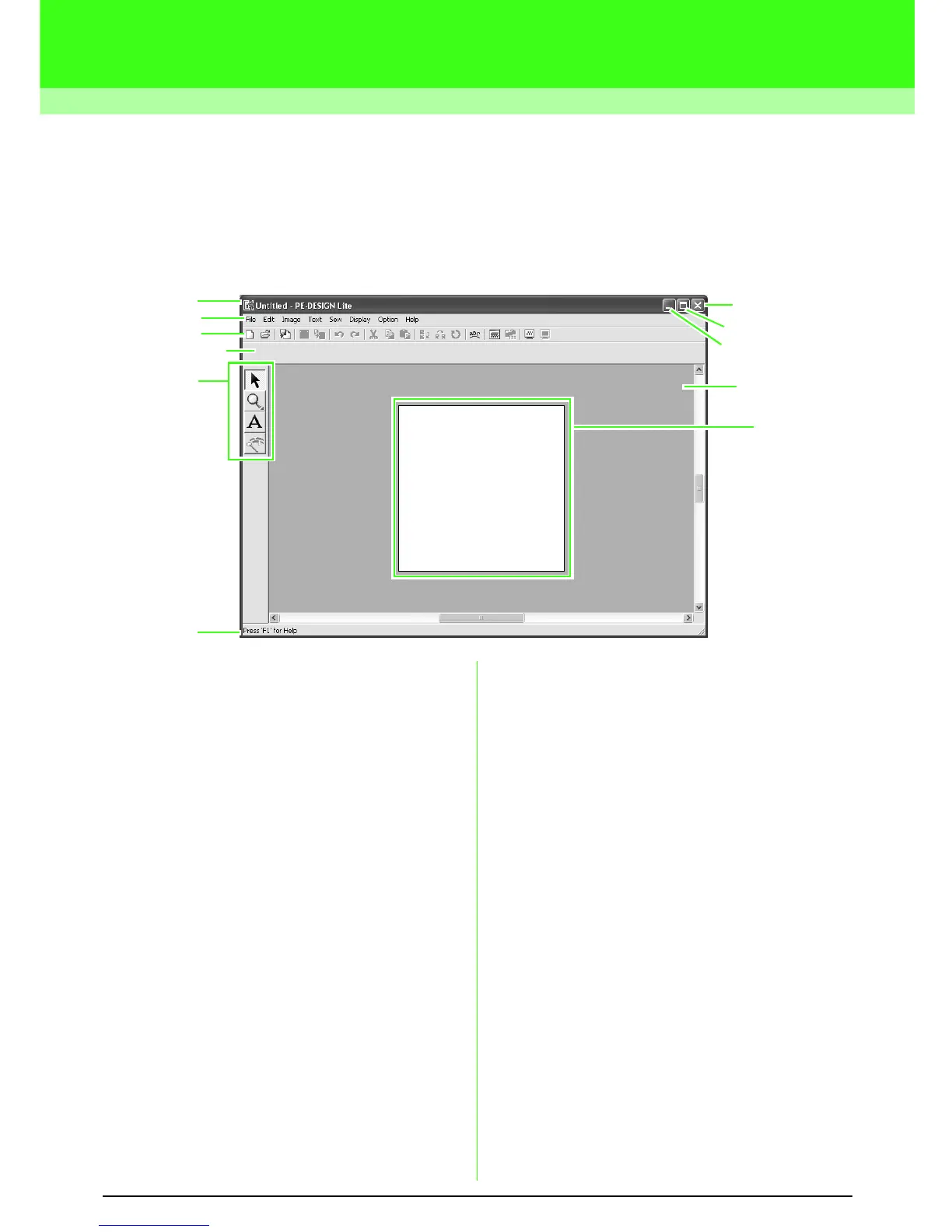
The default value for the design page size in this example is 100 × 100 mm.
1 Title bar
2 Menu bar
Provides access to the functions.
3 Toolbar
Provides shortcuts for the menu commands.
4 Sewing Attributes bar
Sets the sewing attributes (color and sew type)
of regions in the pattern.
5 Tool Box
Used to select and zoom objects, add text, and
convert image data into embroidery data.
6 Status bar
Provides helpful information.
7 Design Page
The actual part of the work area that can be
saved and sewn.
8 Work area
9 Minimize button
10 Maximize button
11 Close button
2
7
3
4
5
6
10
9
8
1
11



 To Next Page
 Loading...



