35
Arranging Embroidery Designs
Selecting text attributes
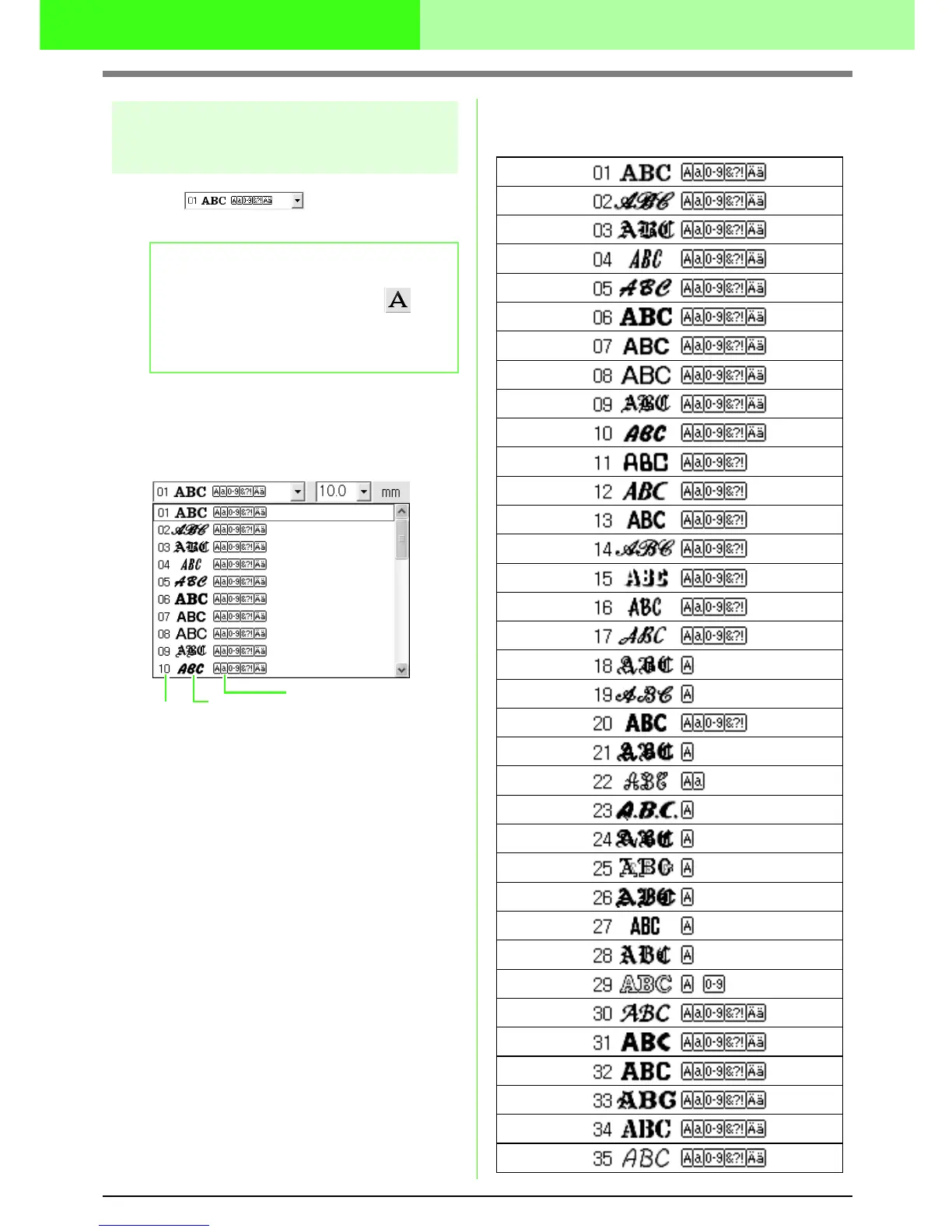
■ Font
Use this selector to select a font for the text.
1. Click in the Font selector.
→ A list of fonts appears when clicking on
the menu arrow at the right.
2. Click the desired font.
→ The setting is applied to all text patterns
that you will create, until the setting is
changed.
→ If text patterns were selected, the setting
is also applied to the selected text.
The available fonts and the types of
characters available with each font are listed
below.
b Memo:
The Font selector appears when on
the Tool Box is selected. It also appears
when text in the Design Page has been
selected.
Font
Font sample
Types of characters
number
available



 To Next Page
 Loading...



