ADVANCED EMBROIDERY
103
3
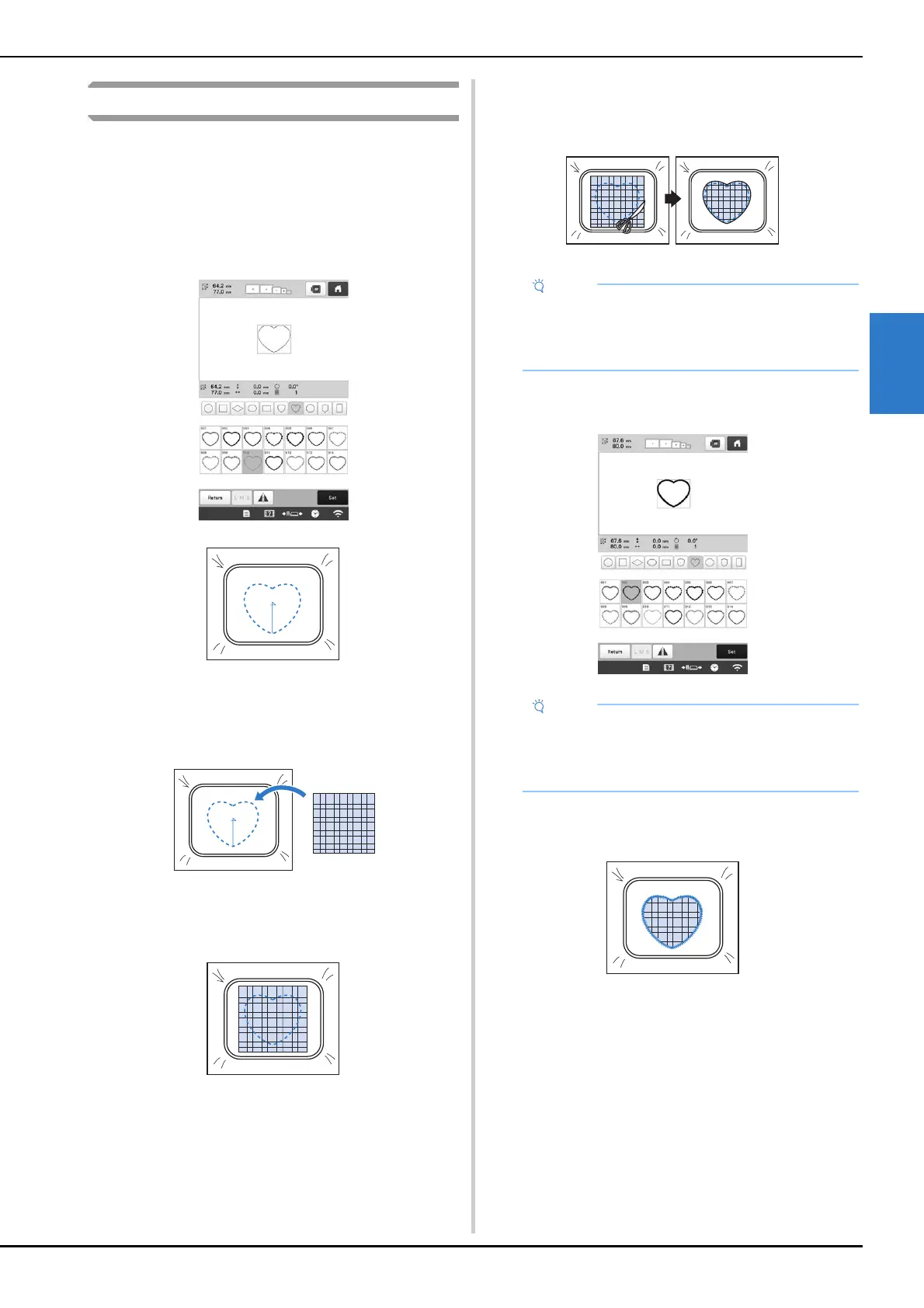
Using a frame pattern to create appliqués
With this method, there is no need to change the fabric in the
embroidery frame. The appliqué can be created by
embroidering two frame patterns of the same size and
shape—one embroidered with straight stitches and the other
embroidered with satin stitches.
a
Select a frame pattern embroidered with straight
stitches and embroider onto the base fabric.
b
Place the appliqué fabric over the embroidery stitched
in step
a. Make sure that the appliqué fabric is larger
than the embroidered area.
c
Embroider over the appliqué fabric using the same
frame pattern.
• Be sure to stop the machine before the cross at the
center is embroidered.
d
Remove the embroidery frame from the machine, and
then cut off the excess appliqué fabric along the
outside of the stitching.
e
Select the satin-stitched frame pattern with the same
shape.
f
Attach the embroidery frame removed in step d, and
then finish embroidering the appliqué.
• Leave the fabric in the embroidery frame when
cutting off the excess appliqué fabric. In addition,
do not apply extreme pressure to the framed fabric,
otherwise the fabric could become loose.
• If the size or embroidering position of the straight-
stitched frame pattern is changed, be sure to
change the size or embroidering position of the
satin-stitched frame pattern in the same way.



 To Next Page
 Loading...










