Introduction
4
1
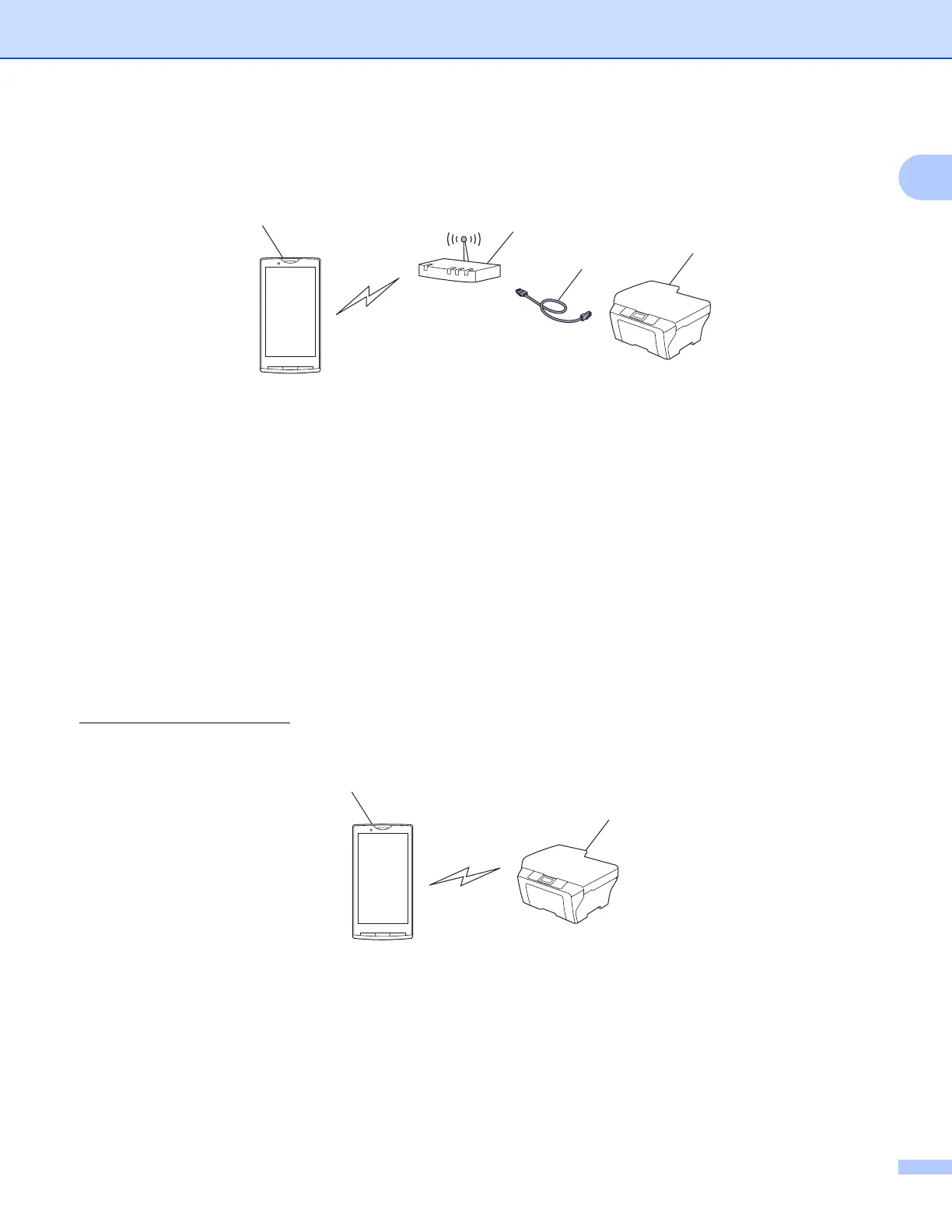
When the Brother machine is connected to the wireless access point/router using a network cable:
1 Mobile device
2 Wireless access point/router
3 Network cable
4 Network machine (your machine)
Wi-Fi Direct™ connection 1
Connect your mobile device to your Brother machine using Wi-Fi Direct™. Wi-Fi Direct™ allows you to
configure a secured wireless network between your Brother machine and a mobile device without using an
access point.
If your Brother machine supports Wi-Fi Direct™ and you want to configure your Brother machine for a Wi-Fi
Direct™ network, please download the Wi-Fi Direct™ Guide from the Brother Solutions Center at
http://solutions.brother.com/
.
1 Mobile device
2 Your Brother machine
2
1



 To Next Page
 Loading...


