Setting Up 1-5
1 —
2 —
3 —
4 —
5 —
6 —
7 —
8 —
?
!
9 —
CONTENTS
Index
2
1
1
12
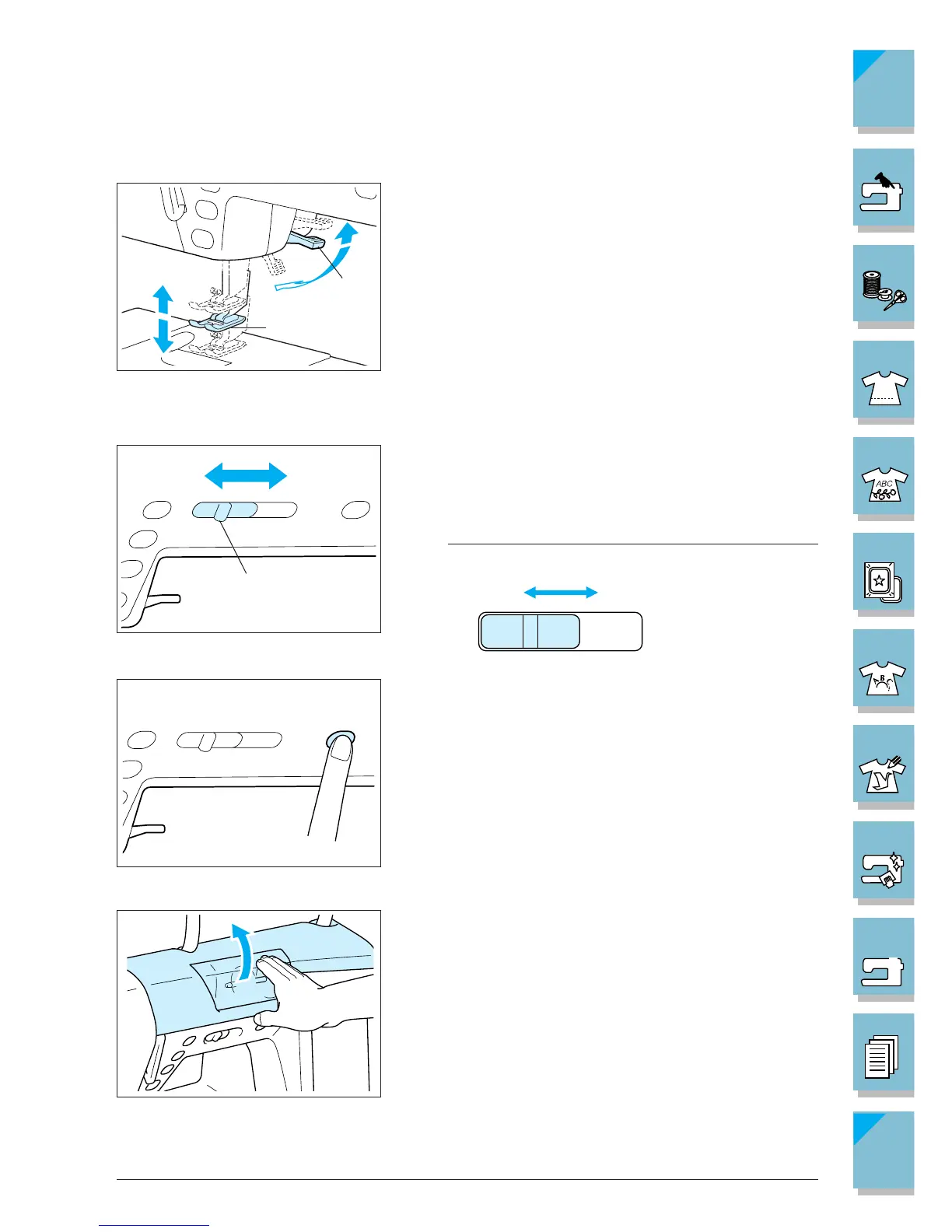
■ Presser Foot Lever
Lower the presser foot lever to lower the presser foot and
apply pressure to the fabric. If the presser foot is raised to
the second position, and you want to sew heavy weight,
stacked fabrics, etc., that are hard to set under the presser
foot, raise the presser foot lever higher and hold it to make
room for the fabric (see page 2-4).
1 Presser foot
2 Presser foot lever
CAUTION
The machine will not operate with the presser foot
raised.
■ Sewing Speed Controller
Use this controller to adjust the sewing speed. Move the le-
ver to the left to sew at slower speeds. Move the lever to the
right to sew at higher speeds.
1 Lever
Note
Beginners should sew at a slow speed.
■ Bobbin Winder Button
Use this button to wind the bobbin (see page 1-25).
■ Top Cover
Open the top cover to wind the bobbin or do the upper
threading. To open the cover, place your hand under the
clear section of the cover and lift up.
1 Slow
2 Fast















 To Next Page