3
Battery Installation
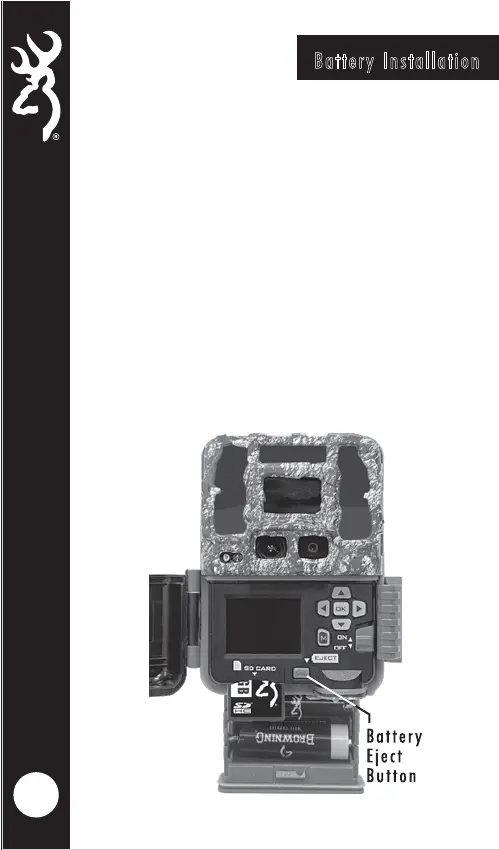
Release the battery tray by pressing the Battery Eject
button. The battery tray will eject about 1/2”. To
completely remove the battery tray, simply pull the tray
with a bit of force.
Install 6 AA Alkaline or Lithium batteries in the battery
tray. Make sure you install the batteries with the correct
polarity, following the markings on the battery tray. For
opimtimal performance we recommend using Browning
branded batteries, Energizer™ or Duracell™.
Slide the battery tray into the closed position.






 To Next Page