Main Screen
Turn the camera’s power on by sliding the power switch to
the ON position.
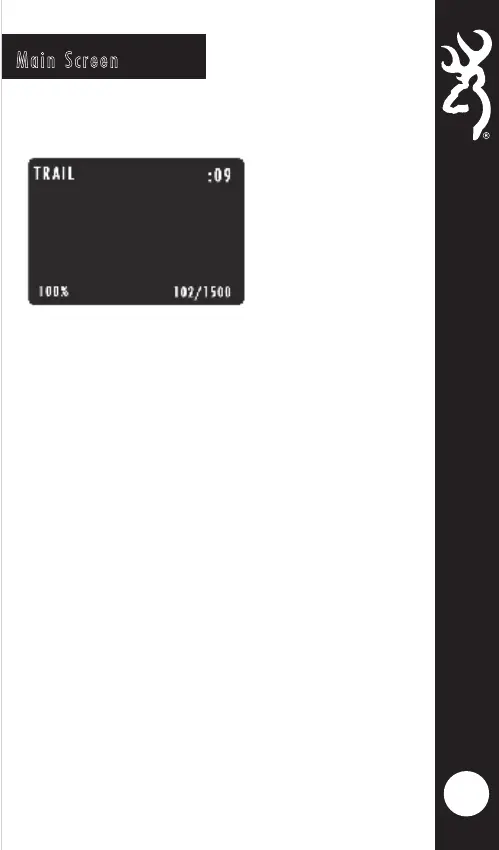
The main screen displays the camera operation
mode, pictures or videos taken, pictures or
videos possible on the SD card, camera delay
countdown and battery life percentage. The
background will show a live image from the
camera. This can be used to help position the
camera in the field.
•
•
To playback images or videos on the SD card on the color
screen, simply press the RIGHT arrow key while the Main
Screen is displayed. Your first image or video will be
displayed on screen. The RIGHT and LEFT arrow keys will
advance forward or reverse through the SD card contents.
Press the MODE button to exit the preview mode.
4
The battery life meter shows the percentage of charge
left in your batteries.
When the delay counter counts down to 00:00. The
camera is now ready to take a picture or video.




 To Next Page