8 Maintenance
8.1 Cleaning
If the device is dirty, it can be cleaned with a cloth which is dry or slightly moistened
with water (for tough stains isopropanol can be used). Please be careful that no
moisture enters through the screen and goes inside.
8.2 Firmware updates
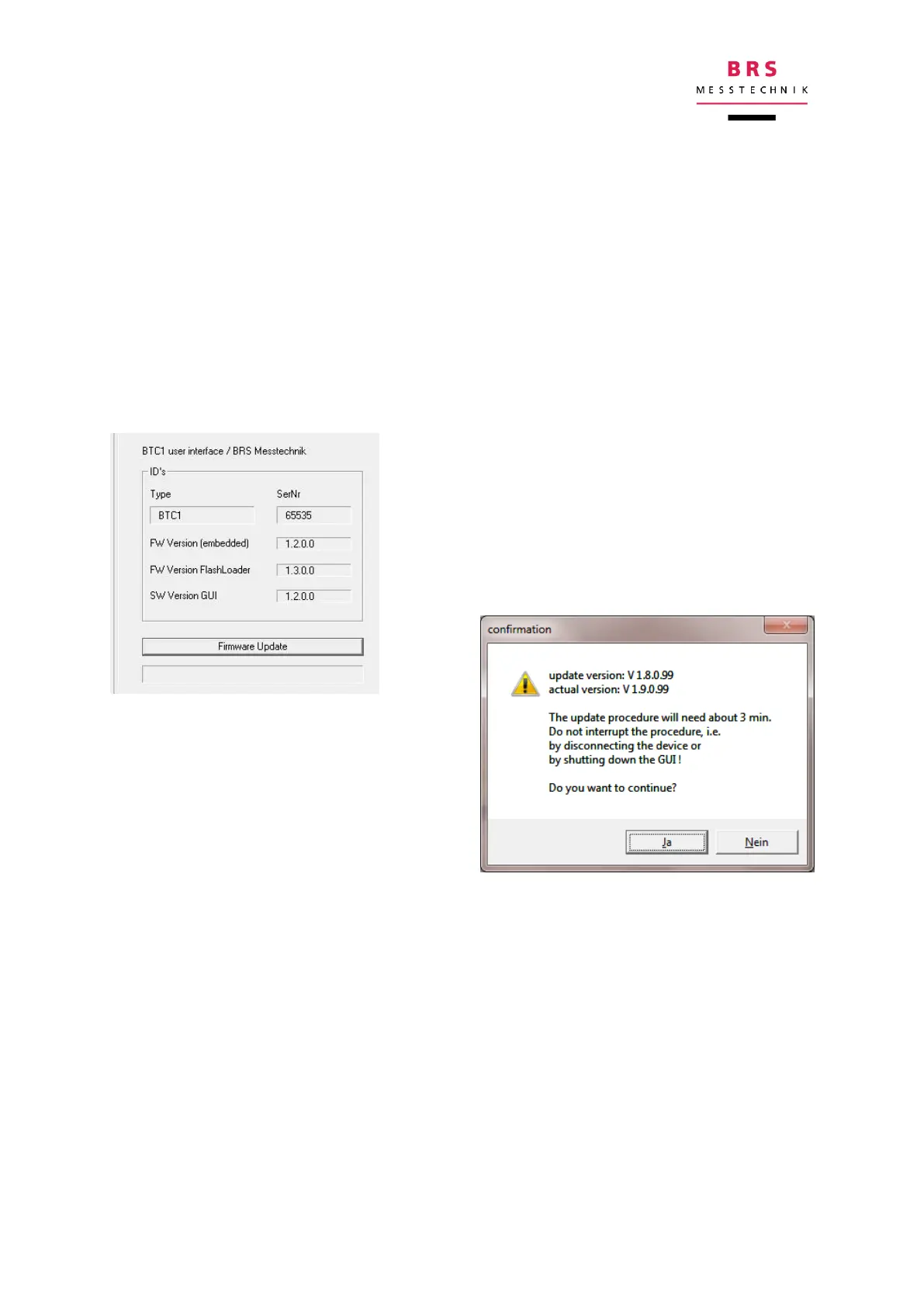
You can update the device software by clicking on the “info” tab.
If you click on the “firmware update” button, a Windows Explorer window will open.
Select the BIM_Update_xxxx.hex file and open it.
The check sum of the update file will be shown for
your information. You can close this by clicking
“OK”.
A win-
dow will then appear for you to start the
download:
8.3 Recalibration
We recommend periodically recalibrating the device once a year. Send the device to
us to carry out this procedure.
8.4 Help
If you have any problems or need help or support for any other reason, please con-
tact:
BRS Messtechnik GmbH, Strohberg 23, 70180 Stuttgart, Germany.
Tel: +49-711-6558344, Email: info@brs-messtechnik.de.
Please have the relevant information about your device ready. You can find this in-
formation in the “info” tab.


 To Next Page