PROGRAMMING THE THERMIDISTAT CONTROL
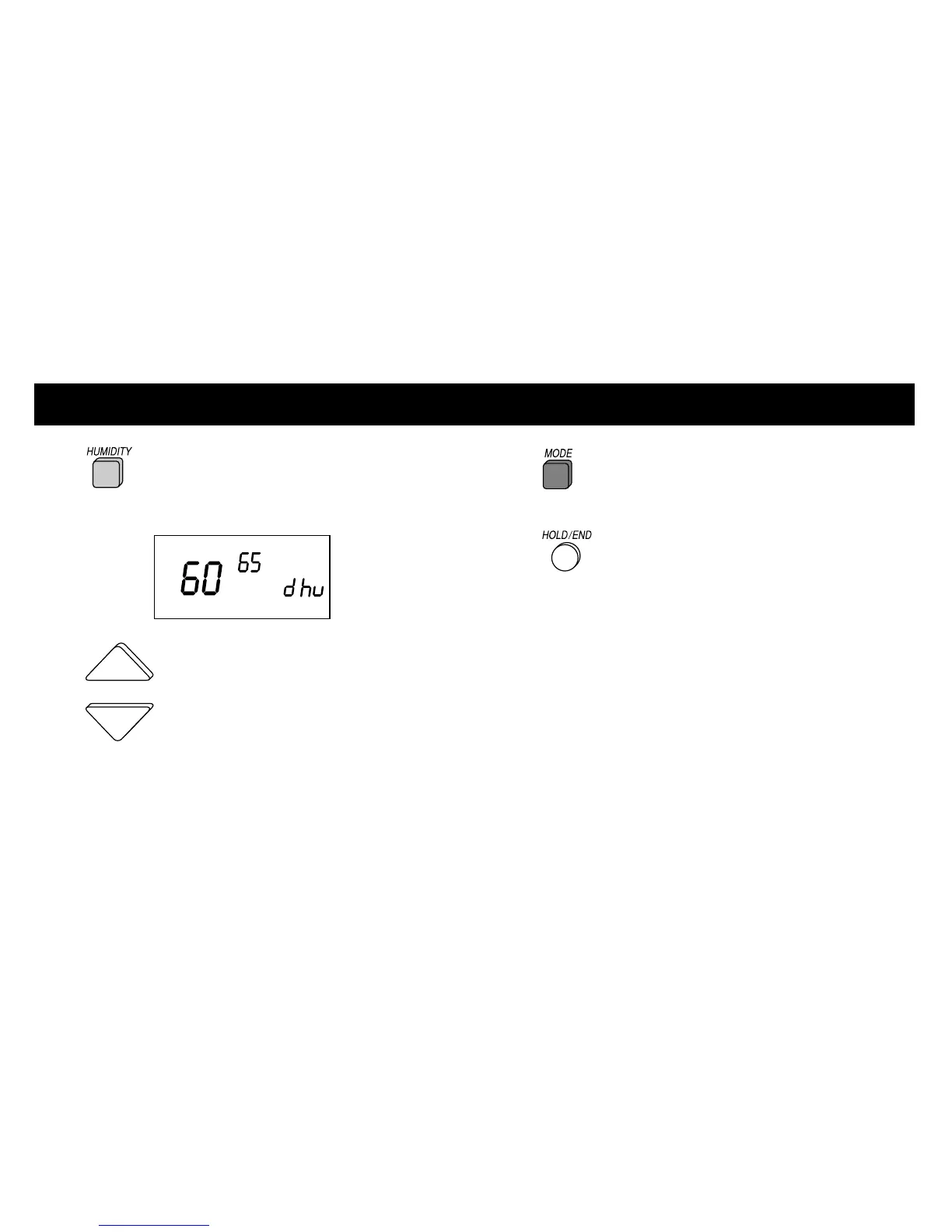
1 Press the HUMIDITY button until
”dhu“ is displayed.
2 Press the UP or DOWN buttons to
raise or lower the dehumidify setting.
Dehumidification can be set from 50% to 90%.
To turn dehumidification off, press the MODE
button until OF appears on the display.
3 Press the MODE button until the
COOL icon is displayed.
4 Press the HOLD/END button
to exit.
15













 To Next Page